Discover Photography

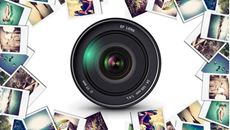
Picture of Discover Photography
Now Only
$389
AUD
35% off
$599 AUD
Quick Facts
  • Delivery Method Online
  • Professional Certificate
  • 24hrs Suggested Study Time
  • 3 Months Access
  • Tutor Support
  • Study On Any Device
  • 21500 Students

Learn how to take better pictures by understanding your camera and how to use it in a variety of situations.

Master your digital camera and learn the secrets behind outstanding photos! Whether you have a digital SLR, a point-and-shoot camera, or something in between, you'll learn how to use it the way you want to in this hands-on course! You also have the opportunity to have your lesson assignments critiqued by our knowledgeable teaching team of professional photographers.

You'll see how to choose the best photographic equipment for you and how to compose images with style. Exposure topics like aperture, shutter speed, metering, and ISO settings will all make sense as we break them down into simple concepts. If you want to work with manual exposure on your digital SLR, we cover that, too! We'll also explore natural and artificial lighting, freezing or blurring motion, portraiture, children's photography, pet photography, photojournalism, and digital editing options.

With each lesson, you'll have an assignment to apply the lesson topic using your own camera and, if you wish, your teaching team and your classmates will comment on your assignment images in a safe, constructive and positive environment.

After graduating, you'll see the difference in your photographer's eye and your photos! Secrets of Better Photography is also an excellent class to prepare you for the more advanced class, Travel Photography for the Digital Photographer.

Courses are delivered to you through expertly executed lessons, online instruction and interaction with like-minded students. Our courses are designed to deliver all of the benefits of studying in a classroom whilst giving you the flexibility to study at a time and place to suit your needs. You can access your classroom 24/7 from any device with an internet connection.

This course has a 3 month duration. You'll complete comprehensive lessons, quizzes and assignments before submitting your final exam at the end of the course to achieve your certificate. Courses must be completed within the 3 month access period.

In this first lesson, you'll learn how to see the subject of each photograph—before you press the shutter button. This information will provide a solid foundation for the rest of the class.

As we move to the technical side of photography, we'll take a look at the options available in camera equipment. Whether you have a point-and-shoot camera or the latest digital SLR, you'll gain a better understanding of the equipment and tools photographers use.

Returning to artistic elements in this lesson, you'll learn how to develop your photographer's eye and incorporate compositional guidelines as you take better pictures. This information will provide a solid foundation for the rest of the class.

Light is the essence of photography. In this lesson, we'll explore how to control and use light to your advantage. You'll compare the advantages of natural light, available light, and artificial light and see when you'll want to use each to capture the special effects you're after.  You'll also learn how to use the ISO and white balance settings on your camera to make the most of the light you have.

Today we'll explore the options for using your camera and other tools to get sharp, crisp images.  Photography often requires compromise to accommodate conflicting priorities, and after this lesson, you'll be able to decide what's most important to you.  Becoming aware of screen resolution, camera shake, stabilization, and focus options, as well as preprogrammed modes, will give you a variety of tools to put to work.  You'll also see how to test your lenses and cameras and evaluate your equipment.

Using manual exposure settings opens up a whole new world of professional and creative options.   In this lesson, you'll begin an exploration of how to get the most out of your camera's features, starting with Aperture Priority and the control it gives you over depth of field.  Whether you want to create an image with a soft background highlighting your subject or a far-reaching landscape shot with all the details in focus, controlling your aperture settings puts that power in your hands.

You'll see how to capture motion in this lesson as we continue the topic of manual exposure settings.  Whether you want to freeze the action of fireworks or merge a waterfall into a velvety illusion, shutter speed is the key!  Setting your shutter speed gives you the control you need to get the images you want, and it's easier than you might think.  You'll have lots to practice with as you finish this lesson.

In this lesson, you'll learn the tricks of portrait photography. Whether you're working professionally or just as the family photographer, these techniques will help you take better portraits.  You'll see how to pose people so they'll look their best, when to use digital editing, and how various lighting techniques will help you create pleasing portraits.

Photographing children, pets, and groups is a challenge for even the most seasoned professional photographer. In this lesson, you'll learn some techniques and strategies to bring out the best in your pictures.

Now that you know how your camera works and what you want to do, it's time to take a look at how to handle challenging situations. When the light is low or the subject just seems out of reach, you want to know how to get the shot! In today's lesson we'll focus on how to use your tools and knowledge to beat the challenges and come away with the pictures you're after.

<p>Photojournalism is a fascinating field for photographers. This fast-paced world presents challenges of its own. In this lesson, you'll see how the pros handle this type of work. We'll also discuss how to get started in the field. </p> <h1>

Digital editing is a real bonus for photographers. In this lesson, you'll learn about the basic and artistic editing techniques available to all photographers, as well as some of the technical issues of digital photography.

Beverly Richards Schulz

Beverly Richards Schulz

Beverly Richards Schulz is a graduate of the New York Institute of Photography and an award-winning photographer. She has been teaching photography for more than 15 years. Since her first class with ed2go in 2000, she has written more than 30 onli... Read more Read Beverly Richards Schulz's Profile

Frequently Asked Questions

Once you've made the payment, we'll send you a confirmation email with a link to start your course. Feel free to get started whenever you're ready!

You'll have 3 months access to your course. In that time you are free to study at your own pace. The course duration is 24 hours.

Online learning is a flexible way to study that fits around your schedule, giving you the freedom to learn at your own pace from anywhere in the world. You'll have 3 months to complete the course and can take the multiple-choice questions and final exam whenever it suits you.

If you need help, you can contact us anytime. You can also join the discussion area where you can interact with other students. The discussion area for each lesson is open for the entire duration of the course.

Of course! We offer a 7-day money back guarantee. As long as you haven't completed the course, you can get a full refund within 7 days of enrolling.

We do not offer extensions or transfers for this self-paced course. However, you will have 3 months to complete the course, and if you need to cancel within the first 10 days of enrolment, we offer a money back guarantee.

The Learning Environment

From the moment that you enrol in the Discover Photography you will become an integral part of our learning community. You'll find yourself with the freedom to learn at a speed that suits you, on any device, from anywhere in the world. Achieving your career goals no longer has to mean compromising family and work commitments.

Ready to get started?

Enrol Now

Our Values

Learn At Your Own Pace

We believe in personalised learning. That's why we provide all the tools and support you need to succeed at your own pace. With flexible learning, you'll stay motivated and retain more information. Plus, you can balance your studies with work and family commitments to make your dreams a reality.

We Won't Break The Bank

Education should be accessible to anyone who wants to learn. That's why we offer some of the most competitive prices in the industry with payments plans for just $25 per week. Investing in your future is a smart choice and doesn’t have to break the bank.

Industry-Led Courses

There's no better way to learn than from experts with years of experience in your field. That's why each of our 200+ industry-led courses are designed to give you a real-life perspective on your industry. With our expert mentors, you'll learn from people who have a wealth of knowledge and experience, and who are passionate about sharing it with you.

Get The Personal Support You Deserve

At Vibe Learning, we're real people who are dedicated to providing you with personal support every step of the way. Our industry experts are not only professional and knowledgeable but also incredibly passionate about sharing their expertise with you. With their guidance, you'll gain invaluable insights and practical knowledge to help you succeed.

Speedy Spanish III Online Course | Vibe Learning
 

Speedy Spanish III

Picture of Speedy Spanish III
Now Only
$389
AUD
35% off
$599 AUD
Quick Facts
  • Delivery Method Online
  • Professional Certificate
  • 24hrs Suggested Study Time
  • 3 Months Access
  • Tutor Support
  • Study On Any Device
  • 4260 Students

Master your ability to speak, understand, and read Spanish by taking the final installment in our unique three-part Speed Spanish learning series.

Master your ability to speak, understand, and read Spanish by taking the final installment in our unique three-part Speed Spanish learning series. In this advanced-level course, you'll learn the final six recipes that will serve as templates to help you create any Spanish sentence you want. Guided practice will include lots of new vocabulary, pronunciation, and speed drills, as well as in-depth study of Spanish parts of speech to help you speak and understand Spanish in a snap. The goal of this course is not just learning the recipes—it's also to help you use them spontaneously so that you'll never be at a loss for words!

Courses are delivered to you through expertly executed lessons, online instruction and interaction with like-minded students. Our courses are designed to deliver all of the benefits of studying in a classroom whilst giving you the flexibility to study at a time and place to suit your needs. You can access your classroom 24/7 from any device with an internet connection.

This course has a 3 month duration. You'll complete comprehensive lessons, quizzes and assignments before submitting your final exam at the end of the course to achieve your certificate. Courses must be completed within the 3 month access period.

There are many sounds in Spanish that we don't have in English, so we'll start off our first lesson by practicing pronunciation. What's more, we'll practice Recipes 1 and 2, extending Recipe 2 so that you can express yourself better in the past tense. Once you finish this lesson, your pronunciation will have improved, and you'll know how to use Recipes 1 and 2 even better than before.

Today's lesson is a first introduction into what's usually referred to as the <em>preterite tense</em>. During this lesson and the ones that follow, you'll learn when and how to use the preterite and the imperfect when describing events that happened in the past, and you'll learn an assortment of time phrases that will help you reinforce your use of the past tense. When you're finished, you'll appreciate how the Spanish language carves up events and situations that have occurred in the past.

Throughout the course, we'll be reviewing what you've learned in previous lessons, so today you'll practice a number of recipes that'll look familiar to you. Working with these recipes, you'll learn what it takes to transition smoothly from one recipe to another. When you've completed this lesson, your speaking and writing skills will be more polished than ever before because you'll know how to use transitional phrases.

The verb <em>ser</em> has peculiar verb forms, and today you'll learn those different forms framed up against its partner verb, <em>estar</em>. After practicing this lesson's helpful drills, you'll know when to use ser and when to use <em>estar</em>. Once you've done this, your next step is to learn the Fun Phrases associated with <em>ser</em> and <em>estar</em>. We'll also practice Recipes 1 through 4 and learn some extended verb forms. After today's lesson, you'll know all there is to know about Recipes 1 through 4!

During the previous lessons, you've been learning and reviewing vocabulary while improving your pronunciation skills at the same time. This lesson is no different, but the focus today will be on distinguishing the preterite from the imperfect tenses. When you're finished with today's lesson, you'll know the full range of Recipes 1 through 6, preterite and all.

In today's lesson, I'll show you a few new verbs while reviewing Recipes 1 through 6. After that, we'll move on to an in-depth review of Recipe 7, which will give you options on how to package past events. Accompanying this lesson are practice drills designed to improve your ability to respond spontaneously in Spanish. You're now midway through the course, so you'll want to practice what you're learning here with native speakers of Spanish.

Today we'll go over the complete range of Recipe 7 and go through a few related exercises. You'll learn a number of commonly used short and crisp phrases that are associated with Recipe 7. You'll also learn how to apply Recipe 7 to <em>hacer/dar/decir</em>, verbs, which you need to know only because you'll be using them all the time. Besides learning more about Recipe 7, we'll also review Recipes 1 through 6. When you've completed this lesson, you'll feel comfortable using so-called irregular Spanish verbs, because you'll know the underlying pattern of these verbs.

Spanish has flexible word order with some constraints, so today you'll learn how and when you can change the word order around. We'll review Recipe 8, which you learned in Speed Spanish II, and I'll introduce you to Recipe 9, which I like to call the <em>Se Habla Español</em> recipe. Later, we'll review reflexives, and then you'll learn some new ones and run them through a number of recipes. Because this lesson is chock-full of material, you'll be busy with fun!

Remember in the first Speed Spanish course when you learned all about the particles, <em>lo/la/me</em>. Later in Speed Spanish II, we expanded on them. Now you've made it all the way to Speed Spanish III, and it's time that you learn the full range of particle usages. You'll learn how to incorporate these new particles into your conversations and, as always, we'll practice our recipes. Then you'll learn a host of new verbs that you can use in your everyday Spanish conversations.

In this lesson, we'll review the recipe that produces <em>would</em> verb phrases, and you'll learn its capacity to express probability. Besides learning more about Recipe 10, you'll learn a new recipe that will help you to express the future. This is Recipe 11. Because this lesson is building toward the subjunctive recipes, you'll also learn a number of phrases that can trigger the subjunctive. As we'll do in every lesson, we'll go over some new vocabulary words. We'll pay special attention to <em>ser</em> and <em>ir</em> in this lesson, too. When you're finished, you'll have completed Recipes 10 and 11.

The focus of this lesson, like all the others, is the recipes. Today, you'll build on what you've learned in previous lessons by practicing Recipes 12 through 14. Laying the foundation for the subjunctive in the previous lesson, this lesson does the same and more so that you'll be prepared for the subjunctives recipes in Lesson 12. After you finish this lesson, you'll have learned Recipes 1 through 14.

If you've ever heard the phrase, <em>Viva Las Vegas</em>, you've made the first step toward learning the subjunctive. In this lesson, framed up against the memories of Señor Macías, Platero, and David Smith, you'll learn the present and past subjunctives. After you finish this, our final lesson, you'll have learned a total of 17 recipes that should help you speak fluent Spanish! You now have the tools you need to read, write, and say whatever you want. It's up to you now to seek out Spanish speakers. May your recipes be with you!

Dan Mikels

Dan Mikels

Dan Mikels is a college instructor who has been teaching Spanish for more than 20 years. He holds a Master's degree and has authored and coauthored more than 20 educational products, including Speed Spanish, Fast FrenchRead more Read Dan Mikels's Profile

Frequently Asked Questions

Once you've made the payment, we'll send you a confirmation email with a link to start your course. Feel free to get started whenever you're ready!

You'll have 3 months access to your course. In that time you are free to study at your own pace. The course duration is 24 hours.

Online learning is a flexible way to study that fits around your schedule, giving you the freedom to learn at your own pace from anywhere in the world. You'll have 3 months to complete the course and can take the multiple-choice questions and final exam whenever it suits you.

If you need help, you can contact us anytime. You can also join the discussion area where you can interact with other students. The discussion area for each lesson is open for the entire duration of the course.

Of course! We offer a 7-day money back guarantee. As long as you haven't completed the course, you can get a full refund within 7 days of enrolling.

We do not offer extensions or transfers for this self-paced course. However, you will have 3 months to complete the course, and if you need to cancel within the first 10 days of enrolment, we offer a money back guarantee.

The Learning Environment

From the moment that you enrol in the Speedy Spanish III you will become an integral part of our learning community. You'll find yourself with the freedom to learn at a speed that suits you, on any device, from anywhere in the world. Achieving your career goals no longer has to mean compromising family and work commitments.

Ready to get started?

Enrol Now

Our Values

Learn At Your Own Pace

We believe in personalised learning. That's why we provide all the tools and support you need to succeed at your own pace. With flexible learning, you'll stay motivated and retain more information. Plus, you can balance your studies with work and family commitments to make your dreams a reality.

We Won't Break The Bank

Education should be accessible to anyone who wants to learn. That's why we offer some of the most competitive prices in the industry with payments plans for just $25 per week. Investing in your future is a smart choice and doesn’t have to break the bank.

Industry-Led Courses

There's no better way to learn than from experts with years of experience in your field. That's why each of our 200+ industry-led courses are designed to give you a real-life perspective on your industry. With our expert mentors, you'll learn from people who have a wealth of knowledge and experience, and who are passionate about sharing it with you.

Get The Personal Support You Deserve

At Vibe Learning, we're real people who are dedicated to providing you with personal support every step of the way. Our industry experts are not only professional and knowledgeable but also incredibly passionate about sharing their expertise with you. With their guidance, you'll gain invaluable insights and practical knowledge to help you succeed.

Completing Payroll in QuickBooks 2014 Online Course | Vibe Learning
 

Completing Payroll in QuickBooks 2014

Picture of Completing Payroll in QuickBooks 2014
Quick Facts
  • Delivery Method Online
  • Professional Certificate
  • 24hrs Suggested Study Time
  • 3 Months Access
  • Tutor Support
  • Study On Any Device
  • 142 Students

Learn how to use QuickBooks 2014 to create paychecks, pay taxes, generate forms, and produce dazzling reports.

Preparing payroll in any small business can be a daunting task. Whether you have one employee or 20, the federal and state requirements are often the same! However, by using the payroll feature in QuickBooks 2014, you can master efficient techniques for creating paychecks, paying taxes, and generating forms and reports quickly and easily.

You'll start by learning how to prepare for the payroll process by finding the information you need on the Internal Revenue Service website, from the details of complying with withholding requirements for taxes to the process for applying for an employer identification number.

Then you'll review all aspects of how to set up and maintain payroll information for your employees in Quickbooks. You'll learn how to track work and vacation time; produce job costing reports; generate W-2, W-3, and 1099 forms; create paychecks; and much more. And once you've mastered the basics, you'll gain troubleshooting tips and solutions to help you solve common problems and mistakes to simplify the whole payroll process. By the end of the course, you'll be ready to process payroll in QuickBooks and solve many of the problems that can pop up along the way.

.

Courses are delivered to you through expertly executed lessons, online instruction and interaction with like-minded students. Our courses are designed to deliver all of the benefits of studying in a classroom whilst giving you the flexibility to study at a time and place to suit your needs. You can access your classroom 24/7 from any device with an internet connection.

This course has a 3 month duration. You'll complete comprehensive lessons, quizzes and assignments before submitting your final exam at the end of the course to achieve your certificate. Courses must be completed within the 3 month access period.

The payroll process is much more than just printing paychecks. In fact, before you even attempt to process payroll in QuickBooks, you need to have a good understanding of tax withholding requirements and reporting deadlines, among other things. In this first lesson, you'll learn where to find the information you need to comply with both federal and state payroll requirements, how to apply for an Employer Identification Number (EIN), and how to use government websites to get answers to any payroll questions. You'll even find out how to properly classify workers as employees or independent contractors.

One of the key advantages of processing payroll in QuickBooks is that the program automatically calculates and fills in federal and state tax withholdings on each paycheck. Subscribing to one of Intuit's payroll services ensures that you always have the most up-to-date tables and forms. In this lesson, we'll identify the differences between Intuit's payroll services so that you can choose the best payroll service for your situation. Also, we'll talk about the support resources available from both Intuit's website and other professionals who use the product.

<P>In this lesson, we'll go through a checklist of the information you'll need to gather and enter into your QuickBooks file before creating paychecks for your employees. You'll also learn how to utilize the <I>Payroll Preferences</I> feature in QuickBooks to customize the program to your business situation. Finally, we'll go over why <I>Payroll Items</I> are so important to QuickBooks and how you can use these items to track every paycheck addition or deduction. </P>

Making a simple mistake, like entering an incorrect allowance for an employee's federal tax withholding, will result in an incorrect paycheck. In this lesson, you'll learn how to avoid these kinds of mistakes by carefully entering your employees' information from the paperwork you gathered in the previous three lessons. We'll walk through how to enter personal information, such as addresses, phone numbers, and Social Security numbers. Finally, you'll find out how to create defined fields and enter tax withholding amounts and employee sick and vacation time.

If you decide to start producing paychecks in QuickBooks midyear, you'll need to enter some year-to-date information to let QuickBooks know what payroll transactions have transpired since the beginning of the year. Today, you'll learn about entering year-to-date payroll information and using the QuickBooks year-to-date wizard to summarize each employee's information. In addition, you'll find out how to summarize and enter the tax liabilities you already paid earlier in the year and how to generate certain payroll reports to check your data entry.

If you have employees who are assigned to work on specific projects and you need to track how much time they spend on those projects, then QuickBooks has some options for you. In this lesson, you'll discover how to enter and track employee time in QuickBooks. You'll see how to enter employee time using either the Stopwatch, Timer program, or the Weekly/Single Activity Timesheets. Depending on your situation, one of these methods will be most effective for entering and reporting employee time data. You'll also learn how to assign employee time to the jobs you've created in QuickBooks so that you can produce valuable job costing reports.

Now that you've completed the payroll setup process, today you'll learn how to create a new paycheck for an employee using a Payroll Schedule. We'll also discuss how to create paychecks using information entered on a time activity form, and how to review, correct, and, if necessary, void or delete a paycheck. And if you have to provide paper copies of a paycheck or pay stub, you'll find out how to review them for accuracy and then print them.

Every company that has employees is responsible for certain payroll liabilities. Luckily, QuickBooks has a Scheduled Payments feature that allows you to create reminders of when to pay these liabilities, and that's what we'll explore today. You'll learn how to e-file liability checks and create printed liability checks that include assessed penalties. Since you don't always pay Payroll liabilities to governmental agencies, you'll also find out how to use the payroll feature to track and pay other payroll items, such as health insurance premiums and 401(k) contributions. By the end of this lesson, you'll understand how to adjust the balances due for each payroll tax item and record a refund of payroll taxes.

No payroll process is complete until you've created paychecks and paid tax liabilities. Along with paying your liabilities, you must prepare and file important quarterly and annual reports with the government. To get a handle on this crucial responsibility, today you'll learn QuickBooks' easy-to-follow steps for generating and revising Federal Forms 941 and 940. And to make sure your information is accurate, we'll cover how to review your entries and compare them to the payroll data in your QuickBooks company file.

In this lesson, we'll explore one of the more powerful features of the payroll process in QuickBooks: the reporting feature. After completing this lesson, you'll know how to access and generate several of the preformatted payroll reports in QuickBooks. To help you avoid costly errors, you'll learn how to use these reports to review payroll data, identify errors, and even forecast future payroll obligations.

Benjamin Franklin once said, "In this world nothing can be said to be certain, except death and taxes." That saying still holds true! So to help you with the inevitable task of paying taxes, QuickBooks gives you the ability to generate Forms W-2 and W-3. The government requires employers to submit these summary reports to each employee and to the Social Security Administration. You'll also need to submit Forms 1099 to your independent contractors. In this lesson, not only will you see how to create these forms, but also you'll discover the best methods for reviewing them and making any necessary adjustments. Finally, we'll cover how to properly align the forms so that the payroll information shows up in the right places when you print them.

We'll spend our last lesson helping you avoid and correct the most common mistakes QuickBooks users make when processing payroll. For instance, you'll learn what to do if too many payroll accounts were created in the Chart of Accounts. You'll also find out what steps to take if you didn't use the Scheduled Payments or Pay Liabilities windows correctly. We'll even cover the proper way to enter and track employee loans. At the end of the day, you'll be ready to process payroll in QuickBooks and solve many of the problems that can pop up along the way.

Scott Paxton

Scott Paxton

Scott Paxton is a Certified Public Accountant, and his background includes experience as a public accountant, a manager in the banking industry, an entrepreneur, and a college business instructor. He is a Certified QuickBooks Professional Advisor ... Read more Read Scott Paxton's Profile

Frequently Asked Questions

Once you've made the payment, we'll send you a confirmation email with a link to start your course. Feel free to get started whenever you're ready!

You'll have 3 months access to your course. In that time you are free to study at your own pace. The course duration is 24 hours.

Online learning is a flexible way to study that fits around your schedule, giving you the freedom to learn at your own pace from anywhere in the world. You'll have 3 months to complete the course and can take the multiple-choice questions and final exam whenever it suits you.

If you need help, you can contact us anytime. You can also join the discussion area where you can interact with other students. The discussion area for each lesson is open for the entire duration of the course.

Of course! We offer a 7-day money back guarantee. As long as you haven't completed the course, you can get a full refund within 7 days of enrolling.

We do not offer extensions or transfers for this self-paced course. However, you will have 3 months to complete the course, and if you need to cancel within the first 10 days of enrolment, we offer a money back guarantee.

The Learning Environment

From the moment that you enrol in the Completing Payroll in QuickBooks 2014 you will become an integral part of our learning community. You'll find yourself with the freedom to learn at a speed that suits you, on any device, from anywhere in the world. Achieving your career goals no longer has to mean compromising family and work commitments.

Our Values

Learn At Your Own Pace

We believe in personalised learning. That's why we provide all the tools and support you need to succeed at your own pace. With flexible learning, you'll stay motivated and retain more information. Plus, you can balance your studies with work and family commitments to make your dreams a reality.

We Won't Break The Bank

Education should be accessible to anyone who wants to learn. That's why we offer some of the most competitive prices in the industry with payments plans for just $25 per week. Investing in your future is a smart choice and doesn’t have to break the bank.

Industry-Led Courses

There's no better way to learn than from experts with years of experience in your field. That's why each of our 200+ industry-led courses are designed to give you a real-life perspective on your industry. With our expert mentors, you'll learn from people who have a wealth of knowledge and experience, and who are passionate about sharing it with you.

Get The Personal Support You Deserve

At Vibe Learning, we're real people who are dedicated to providing you with personal support every step of the way. Our industry experts are not only professional and knowledgeable but also incredibly passionate about sharing their expertise with you. With their guidance, you'll gain invaluable insights and practical knowledge to help you succeed.

Discover Classroom Websites Online Course | Vibe Learning
 

Discover Classroom Websites

Picture of Discover Classroom Websites
Now Only
$389
AUD
35% off
$599 AUD
Quick Facts
  • Delivery Method Online
  • Professional Certificate
  • 24hrs Suggested Study Time
  • 3 Months Access
  • Tutor Support
  • Study On Any Device
  • 2827 Students

Learn how to create a classroom Web site and how having one can make you a more effective and dynamic teacher.

Learn how to create a classroom Web site in this fun, easy-to-understand course for teachers. In no time, you'll build a site with text, images, animations, tables, links, and more. Then you'll create a WebQuest and a blog to add to your site.

You'll also learn how students can use site builders to create their own Web sites in minutes. As we move along, you'll be amazed by how simple creating a classroom Web site can be and all the ways in which having one can make you a more effective and dynamic teacher.

By the end of this course, you'll have your own published classroom Web site, and you'll feel energized by your great new teaching tool!


Course Revised June 2014

Courses are delivered to you through expertly executed lessons, online instruction and interaction with like-minded students. Our courses are designed to deliver all of the benefits of studying in a classroom whilst giving you the flexibility to study at a time and place to suit your needs. You can access your classroom 24/7 from any device with an internet connection.

This course has a 3 month duration. You'll complete comprehensive lessons, quizzes and assignments before submitting your final exam at the end of the course to achieve your certificate. Courses must be completed within the 3 month access period.

Teachers, don't let technology intimidate you! It's easier—and more fun—to create a classroom Web site than you might think. In this first lesson, we'll explore the ways that a Web site can help you organize information, instruct your students, and interact with others. Then you'll create a plan for your very own classroom Web site and learn how to keep your students safe when they surf the Internet.

Today, you'll put your plan into action and enter the exciting world of classroom Web sites as an author! You'll learn about text editors and HTML as you begin creating a Web site. By the end of Lesson 2, you'll have a title, description, heading, and text for your site.

In this lesson, you'll bring your site to life with formatting. You'll give your Web site visual appeal as you add color to the text and the background. You'll also learn to format and arrange text, giving your site a unique, professional look.

Would you like to add a picture of your school to your Web site? Do you want to showcase student work? Today, you'll learn how and why you should add graphics to your site and discover just how easy it is.

We'll take your Web site to the next level in this lesson. You'll find out how to select and format a background image and animated graphics for your home page. Then you'll top it all off with a custom-designed banner. These additions will liven up your Web pages and impress your students!

Today is all about links! You'll learn about the different kinds of links and how to create them. You'll see how to place them to make it easy for visitors to navigate your site.

It's time for table fun. Tables are a great way to organize information, such as student assignments. By the end of this lesson, you'll know how to create a table, format it, add color and graphics to it, and incorporate it as an important part of your classroom Web site.

Today, we'll focus on WebQuests: unique Internet learning adventures. You'll discover how to design a fun, successful WebQuest that will enrich and educate your students. After planning your WebQuest, you'll use your HTML knowledge to begin creating it.

It won't be long until your work is on the Web! Then you'll be part of that elite crowd with the skills to create and post WebQuests online to share with other teachers. In this lesson, you'll complete your WebQuest and link it to your Web site. We'll also explore the best ways to use this learning experience in the classroom.

Are you ready to implement a great communication tool in your classroom? Today, you'll develop your own blog that will enhance your teaching and create a learning environment that transcends your classroom's walls. By the end of this lesson, you'll have the knowledge you need to create a blog, teach your students about blogging, and use blogs effectively.

It's time to go public and post your site online! In this lesson, you'll find a host and a domain name for your site. We'll explore options to suit all budgets—including no budget. You'll also learn about File Transfer Protocol so that you can move your Web site files from one computer to another with ease.

Now that you're a Web expert, you can share your skills with your students! In this final lesson, you'll discover great ways to help your students create their own Web sites and post their projects online. You'll learn how to modify HTML to build a site in mere minutes, and you'll find out how Web authoring software programs and your Web host's site-building tools can make creating a site a snap.

Robin Sellers

Robin Sellers

Robin Sellers is a certified teacher with a Master of Arts degree with a concentration in Technical and Professional Communication. She has over 11 years of experience in the traditional classroom and has been an online instructor since 2000, trai... Read more Read Robin Sellers's Profile

Frequently Asked Questions

Once you've made the payment, we'll send you a confirmation email with a link to start your course. Feel free to get started whenever you're ready!

You'll have 3 months access to your course. In that time you are free to study at your own pace. The course duration is 24 hours.

Online learning is a flexible way to study that fits around your schedule, giving you the freedom to learn at your own pace from anywhere in the world. You'll have 3 months to complete the course and can take the multiple-choice questions and final exam whenever it suits you.

If you need help, you can contact us anytime. You can also join the discussion area where you can interact with other students. The discussion area for each lesson is open for the entire duration of the course.

Of course! We offer a 7-day money back guarantee. As long as you haven't completed the course, you can get a full refund within 7 days of enrolling.

We do not offer extensions or transfers for this self-paced course. However, you will have 3 months to complete the course, and if you need to cancel within the first 10 days of enrolment, we offer a money back guarantee.

The Learning Environment

From the moment that you enrol in the Discover Classroom Websites you will become an integral part of our learning community. You'll find yourself with the freedom to learn at a speed that suits you, on any device, from anywhere in the world. Achieving your career goals no longer has to mean compromising family and work commitments.

Ready to get started?

Enrol Now

Our Values

Learn At Your Own Pace

We believe in personalised learning. That's why we provide all the tools and support you need to succeed at your own pace. With flexible learning, you'll stay motivated and retain more information. Plus, you can balance your studies with work and family commitments to make your dreams a reality.

We Won't Break The Bank

Education should be accessible to anyone who wants to learn. That's why we offer some of the most competitive prices in the industry with payments plans for just $25 per week. Investing in your future is a smart choice and doesn’t have to break the bank.

Industry-Led Courses

There's no better way to learn than from experts with years of experience in your field. That's why each of our 200+ industry-led courses are designed to give you a real-life perspective on your industry. With our expert mentors, you'll learn from people who have a wealth of knowledge and experience, and who are passionate about sharing it with you.

Get The Personal Support You Deserve

At Vibe Learning, we're real people who are dedicated to providing you with personal support every step of the way. Our industry experts are not only professional and knowledgeable but also incredibly passionate about sharing their expertise with you. With their guidance, you'll gain invaluable insights and practical knowledge to help you succeed.

Nature Photography Online Course | Vibe Learning
 

Nature Photography

Picture of Nature Photography
Now Only
$389
AUD
35% off
$599 AUD
Quick Facts
  • Delivery Method Online
  • Professional Certificate
  • 24hrs Suggested Study Time
  • 3 Months Access
  • Tutor Support
  • Study On Any Device
  • 3425 Students

Learn how to use your digital camera to take stunning nature photos, including landscapes, flowers, animals, and even macro shots.

Nature photography can be a fun, relaxing, and exciting hobby! In this course, you'll learn about the many aspects of outdoor photography as well as how to master your digital camera's controls and features. With the knowledge you gain in this course, you'll be taking exceptional nature photos in no time.

We'll explore composition and lighting issues, and you'll find out how to take beautiful photos of landscapes, flowers, trees, and water. Along the way, we'll delve into your camera's shutter speed and aperture controls so that you'll be able to capture the photos you really want. Then we'll shift gears a bit and consider telephoto work in nature photography. Some natural subjects are always too far away or too dangerous to photograph up close, so we'll see how telephoto lenses and composition techniques can help.

We'll also focus on photographing animals—wild and domesticated, as well as large and small. You'll find plenty of tips to help you get great zoo shots and take excellent photos of pets. If you're a bird lover, you're in for a treat because you'll get an entire lesson about photographing birds.

In addition, we'll talk about macro photos, which are extreme close-ups of small items in nature. You'll find macro photography opens up a whole new world for you! And then we'll discuss using your computer to process your photos and digitally correct the most common problems. We'll wrap up by exploring abstract nature photography. You'll see how your photos can become works of art rather than just snapshots of nature. By the end of this course, you'll have become the nature photographer you always wanted to be!

Courses are delivered to you through expertly executed lessons, online instruction and interaction with like-minded students. Our courses are designed to deliver all of the benefits of studying in a classroom whilst giving you the flexibility to study at a time and place to suit your needs. You can access your classroom 24/7 from any device with an internet connection.

This course has a 3 month duration. You'll complete comprehensive lessons, quizzes and assignments before submitting your final exam at the end of the course to achieve your certificate. Courses must be completed within the 3 month access period.

In this first lesson, we'll explore what makes nature photography an exciting and joyful hobby. You'll do fun exercises that help you focus on the details in the world around you. We'll delve into the concepts of composition, form, shape, and contrast. And finally, you'll join me on a photographer's journey in one of my favorite places in the world!

Nothing could be more important to a photographer than light, right? So today we're going to explore how to work with different kinds of sunlight, use fill flash, and photograph the sun. We'll talk about using the rule of thirds to compose attractive photos, and we'll also take a look at three cool natural forms that make great patterns to photograph. Light + composition + natural forms = the next step in your development as a nature photographer!

Landscapes are a pleasure to photograph, so we'll explore how to make landscape photos that are a pleasure to look at, too! In this lesson, you'll figure out how to manage aperture settings and depth of field to get the most from your landscapes, and you'll realize the benefits of focal points and vantage points. You'll also receive some tips to help you spice up landscapes that are flat or lack obvious details.

Nature is full of interesting subjects to photograph, and flowers and trees are two of the best. So get ready to experiment photographically with a variety of textures, patterns, and colors. We'll start today with the basics of photographing flowers, and then we'll move on to explore advanced techniques the pros use. You'll also gain an appreciation for the ways trees can communicate feeling and practice photographing them in a way that evokes the specific feeling of a season or place. You'll discover the joys of trying unexpected perspectives as you take your photos.

Water is a fun subject to photograph, but it does present some challenges that we'll tackle together in this lesson. You'll learn how to use your camera to compose photographs of large bodies of water (like oceans and lakes), and you'll receive fun tips for taking effective shots of streams and rivers. You'll also get better acquainted with your shutter-speed settings and practice controlling them to blur or freeze action to create interesting effects.

Telephoto equipment can help you get close to subjects that are far away or too dangerous to approach, thus giving you access to an otherwise inaccessible natural world. So today we'll investigate the ways telephoto equipment can enhance your experience of nature photography. You'll find out how your camera and lenses handle magnification, and you'll gain an understanding of how to work effectively with a telephoto lens. Then we'll turn our attention to composing telephoto shots, and you'll practice photographing clouds, the moon, and the stars. Whether you're already working with a telephoto lens, want to buy one, or prefer to stick with the zoom lens on your consumer camera, this lesson will help you gain confidence in the telephoto realm.

Large animal photography, as you might expect, can be a lot of fun and very exciting! In this lesson, we'll explore how to get the best photographs of large animals, whether domesticated or in the wild. You'll photograph single animals, groups, and animals in zoos and other captive areas. You'll also learn how to get pets to cooperate for a photo shoot!

Today, we'll delve into strategies for photographing small animals in the wild, including reptiles and other sneaky creatures. We'll discuss common composition, angle, and lighting issues you're going to be wrestling with. You'll learn tricks for photographing small animals at zoos, including animals in terrariums and aquariums. And you'll receive tips for photographing your small pet, including how to keep your pet's attention and what to do to avoid getting an ugly yellow color cast in your photos when shooting pet portraits indoors.

In this lesson, you'll learn about the challenges of photographing birds and the techniques for overcoming those challenges. Birds in flight, for example, can be tough to handle, because you have to be fast on the draw with your camera's settings and manage backlighting to prevent exposure problems. You'll learn to deal with these issues and get started setting up a bird photo studio in your own backyard, which you can use to practice all of your bird photography skills year-round.

With today's lesson, we'll delve into macro photography, which you'll use to document some of the smallest creatures in our natural world. We'll sort through your equipment options, ranging from inexpensive attachments to more expensive options like macro lenses. And we'll investigate the particular challenges of exposure, shutter speed, and depth of field. We'll end with a look at a collection of macro photos and discuss what works and what doesn't.

Photo-editing software gives you the opportunity to correct common photography problems and enhance photos creatively. Need to fix a blemish, crop a photo, or adjust the color? In this lesson, you'll find out how to make these quick fixes. Then we'll turn our attention to more advanced functions, like using layers and masks to make complex edits. And we'll finish by exploring some of the just-for-fun options of photo-editing software, like special-effects filters and using layers to add text. If you're not already working with photo-editing software, I'll direct you to a free program you can download in order to explore the techniques we discuss.

Today we'll wrap things up with a fun exploration of the creative possibilities of abstract nature photos. You'll expand your understanding of subjects and composition, and you'll see how abstract photos work to achieve a specific effect or feeling. We'll end our discussion with a tour through a gallery of abstract photos, and I'll share a final entry in my photo journal about my visit to Tulum, Mexico—a favorite spot for photographers.

Curt Simmons

Curt Simmons

Curt Simmons, M.Ed, MCSE, MCSA, CTT, is a best-selling author, technical trainer, and multi-media expert. Curt has written more than 50 computing and technology books on a variety of topics, including How To Do Everything with Windows Vista, How t... Read more Read Curt Simmons's Profile

Frequently Asked Questions

Once you've made the payment, we'll send you a confirmation email with a link to start your course. Feel free to get started whenever you're ready!

You'll have 3 months access to your course. In that time you are free to study at your own pace. The course duration is 24 hours.

Online learning is a flexible way to study that fits around your schedule, giving you the freedom to learn at your own pace from anywhere in the world. You'll have 3 months to complete the course and can take the multiple-choice questions and final exam whenever it suits you.

If you need help, you can contact us anytime. You can also join the discussion area where you can interact with other students. The discussion area for each lesson is open for the entire duration of the course.

Of course! We offer a 7-day money back guarantee. As long as you haven't completed the course, you can get a full refund within 7 days of enrolling.

We do not offer extensions or transfers for this self-paced course. However, you will have 3 months to complete the course, and if you need to cancel within the first 10 days of enrolment, we offer a money back guarantee.

The Learning Environment

From the moment that you enrol in the Nature Photography you will become an integral part of our learning community. You'll find yourself with the freedom to learn at a speed that suits you, on any device, from anywhere in the world. Achieving your career goals no longer has to mean compromising family and work commitments.

Ready to get started?

Enrol Now

Our Values

Learn At Your Own Pace

We believe in personalised learning. That's why we provide all the tools and support you need to succeed at your own pace. With flexible learning, you'll stay motivated and retain more information. Plus, you can balance your studies with work and family commitments to make your dreams a reality.

We Won't Break The Bank

Education should be accessible to anyone who wants to learn. That's why we offer some of the most competitive prices in the industry with payments plans for just $25 per week. Investing in your future is a smart choice and doesn’t have to break the bank.

Industry-Led Courses

There's no better way to learn than from experts with years of experience in your field. That's why each of our 200+ industry-led courses are designed to give you a real-life perspective on your industry. With our expert mentors, you'll learn from people who have a wealth of knowledge and experience, and who are passionate about sharing it with you.

Get The Personal Support You Deserve

At Vibe Learning, we're real people who are dedicated to providing you with personal support every step of the way. Our industry experts are not only professional and knowledgeable but also incredibly passionate about sharing their expertise with you. With their guidance, you'll gain invaluable insights and practical knowledge to help you succeed.