PHP and MySQL Intermediate

Picture of PHP and MySQL Intermediate
Now Only
$389
AUD
35% off
$599 AUD
Quick Facts
  • Delivery Method Online
  • Professional Certificate
  • 24hrs Suggested Study Time
  • 3 Months Access
  • Tutor Support
  • Study On Any Device
  • 3480 Students

Learn how to create a dynamic, interactive online store using advanced PHP techniques and a MySQL database server.

Learn how to create an interactive online store complete with an online catalog of products, allowing customers to browse the catalog to select items, place them in a shopping cart, and complete an order. In this self-paced online course, you'll see how to create a commercial online store using the PHP programming language and the MySQL database server.

We'll walk through the steps for developing a complete online store Web application. During the course, you'll see step-by-step how to create all of the software and database objects used in the application. The application consists of two parts, an administrative Web application allowing a store manager to post new products, alter product information, and process customer orders, and a customer Web application allowing customers to browse the catalog of products, select products for purchase, and check out using a shopping cart. At the end of the course, you'll be able to use these code templates to create your own online store application.

Courses are delivered to you through expertly executed lessons, online instruction and interaction with like-minded students. Our courses are designed to deliver all of the benefits of studying in a classroom whilst giving you the flexibility to study at a time and place to suit your needs. You can access your classroom 24/7 from any device with an internet connection.

This course has a 3 month duration. You'll complete comprehensive lessons, quizzes and assignments before submitting your final exam at the end of the course to achieve your certificate. Courses must be completed within the 3 month access period.

In today's fast-paced world, it's almost crucial for every type of business to have an Internet presence. In this lesson, you'll peek at behind-the-scenes components of a commercial-quality Web store application. You'll see how to use the PHP programming language to create the Web store storefront page, complete with product catalog and customer ordering system. You'll discover how Web stores use the popular MySQL database server to maintain the store inventory and track customer orders.

Because of the complexity of creating a Web store, we'll need to discuss some advanced topics in PHP programming. In this lesson, you'll create functions in your PHP programming code that you can use every time you need to perform a specific feature in your applications. We'll examine the PHP code required to manage and manipulate images within your Web site.

Complex Web applications often require complex database structures. Today, you'll explore some of the advanced features that the MySQL database server offers. You'll discover how to use the MySQL console to enter SQL commands, and build commands to create the application database objects. You'll manually create a database, user account, and all of the tables required for the application. You'll find out about some advanced features that you'll be using, such as creating foreign table key constraints and table views.

Every Web store has an administrative interface, which allows the store manager to create and manage the product catalog, as well as process customer orders. In this lesson, you'll dive into the Web store backend application, which allows the store manager to control the Web store environment. You'll examine how to force the store manager to log into the backend system, and how to restrict the system so only the logged-in manager can perform specific functions. You can use this basic backend template to create your own Web store management interfaces for other Web applications.

The most important feature in the Web store backend application is the ability to create the product catalog. In today's lesson, you'll learn how to incorporate images into your Web store application. You'll discover how to use the MySQL Binary Large Object (BLOB) data type to store images within the MySQL database. And you'll find out how to organize your product catalog by creating sections in the product catalog and assigning each product to a specific section.

After having a store full of products, your store manager will need to know how to manipulate existing product information. In this lesson, you'll build the backend Web pages required to allow the store manager to modify information in existing product database records.

In this lesson, we'll turn our attention to the storefront application. The storefront lays out the basic format for the entire Web store, and gently guides customers to the correct location. You'll see how to best organize and present your products in the store without overwhelming your customers with information while providing them with an easy path to obtaining the information they're looking for.

Once you have your customer in your Web store, you'll want them to purchase something. In this lesson, you'll discover how to create a shopping cart for your customers. You'll learn how to allow customers to select products to place in their shopping carts, and how to display shopping cart information for them to view and modify.

After allowing customers to place products in their shopping carts, the next most important feature is to allow them to check out. You'll create registration pages, to allow your customers to register as returning customers to make future checkout sessions easier. You'll also find out how to take steps to ensure that the data your customers enter in the registration process is valid, and how to protect it from prying eyes.

When a customer checks out and places an order, you must be able to process the data in your application. In this lesson, we'll walk through the PHP programming and MySQL database techniques required to perform this function. We'll also look at how to use database transactions to keep the information in your database tables synchronized so your data is accurate at all times.

With the bulk of the Web store application finished, we'll turn our attention to a few of the finer details that'll make your Web store more professional. First, you'll learn advanced MySQL searching techniques to help your customers find just what they're looking for. Next, you'll find out how to generate reports directly from your Web store database for your store manager. You'll discover how to extract the data in your database and produce fancy spreadsheet reports that would make any manager envious.

The PHP programming language allows you to incorporate object-oriented programming principles easily in your Web page code. In this lesson, we'll walk through the basic principles of object-oriented programming and how to use it in a Web environment. You'll learn how to incorporate the object-oriented database features in PHP in your Web applications. Finally, you'll create your own object-oriented programming classes to interact with your database table that you can use in any application.

Richard Blum

Richard Blum

Richard Blum has been an IT industry professional for over 18 years, working mainly as a network and systems administrator. During this time, he has worked with Microsoft, Novell, Unix, and Linux servers, and has created Web sites using a variety ... Read more

Read Richard Blum's Profile

Frequently Asked Questions

Once you've made the payment, we'll send you a confirmation email with a link to start your course. Feel free to get started whenever you're ready!

You'll have 3 months access to your course. In that time you are free to study at your own pace. The course duration is 24 hours.

Online learning is a flexible way to study that fits around your schedule, giving you the freedom to learn at your own pace from anywhere in the world. You'll have 3 months to complete the course and can take the multiple-choice questions and final exam whenever it suits you.

If you need help, you can contact us anytime. You can also join the discussion area where you can interact with other students. The discussion area for each lesson is open for the entire duration of the course.

Of course! We offer a 7-day money back guarantee. As long as you haven't completed the course, you can get a full refund within 7 days of enrolling.

We do not offer extensions or transfers for this self-paced course. However, you will have 3 months to complete the course, and if you need to cancel within the first 10 days of enrolment, we offer a money back guarantee.

The Learning Environment

From the moment that you enrol in the PHP and MySQL Intermediate you will become an integral part of our learning community. You'll find yourself with the freedom to learn at a speed that suits you, on any device, from anywhere in the world. Achieving your career goals no longer has to mean compromising family and work commitments.

Ready to get started?

Enrol Now

Our Values

Learn At Your Own Pace

We believe in personalised learning. That's why we provide all the tools and support you need to succeed at your own pace. With flexible learning, you'll stay motivated and retain more information. Plus, you can balance your studies with work and family commitments to make your dreams a reality.

We Won't Break The Bank

Education should be accessible to anyone who wants to learn. That's why we offer some of the most competitive prices in the industry with payments plans for just $25 per week. Investing in your future is a smart choice and doesn’t have to break the bank.

Industry-Led Courses

There's no better way to learn than from experts with years of experience in your field. That's why each of our 200+ industry-led courses are designed to give you a real-life perspective on your industry. With our expert mentors, you'll learn from people who have a wealth of knowledge and experience, and who are passionate about sharing it with you.

Get The Personal Support You Deserve

At Vibe Learning, we're real people who are dedicated to providing you with personal support every step of the way. Our industry experts are not only professional and knowledgeable but also incredibly passionate about sharing their expertise with you. With their guidance, you'll gain invaluable insights and practical knowledge to help you succeed.

Still looking?

Check out the following courses related to PHP and MySQL Intermediate:

Online Adobe Courses | Vibe Learning
 

Adobe

Adobe has a slew of industry-grade programs that you can use. Learn how to make powerful websites using Dreamweaver (CS5 and CS6) and beautiful animations using Flash (CS5 and CS6). Learn how to design catchy graphics using Illustrator, InDesign and more! All courses are available for beginner and intermediate levels.

CSS3 and HTML5 Intermediate Online Course | Vibe Learning
 

CSS3 and HTML5 Intermediate

Picture of CSS3 and HTML5 Intermediate
Now Only
$389
AUD
35% off
$599 AUD
Quick Facts
  • Delivery Method Online
  • Professional Certificate
  • 24hrs Suggested Study Time
  • 3 Months Access
  • Tutor Support
  • Study On Any Device
  • 5272 Students

Take your CSS3 and HTML5 skills to the next level and learn how to create professional-quality websites.

Today's websites require streamlined code that adapts to a variety of devices, screen resolutions, Web browsers, and user needs. CSS3 and HTML5 are the keys to creating that, and they're the foundation upon which all modern websites built (not to mention many mobile apps, games, and even desktop apps). This means today's software developers need a deep understanding of CSS3 and HTML5.

In this course, you'll take your CSS and HTML skills to the next level and learn how to create professional-quality websites. You'll find out the methods the pros use to quickly build effective sites that are easy to maintain and modify. You'll discover the secrets to ensuring you keep total creative control over every aspect of a site. You'll master specific techniques for using background images and controlling opacity, visibility, and scrollbars. You'll create picture thumbnail galleries, cool hover (mouseover) effects, drop-down menus and flyout menus, and animation effects that work on hover as well as touchscreens like the iPhone and iPad. You'll also discover wonderful easy-to-code methods for creating responsive layouts that scale well to all screen sizes and devices.

Courses are delivered to you through expertly executed lessons, online instruction and interaction with like-minded students. Our courses are designed to deliver all of the benefits of studying in a classroom whilst giving you the flexibility to study at a time and place to suit your needs. You can access your classroom 24/7 from any device with an internet connection.

This course has a 3 month duration. You'll complete comprehensive lessons, quizzes and assignments before submitting your final exam at the end of the course to achieve your certificate. Courses must be completed within the 3 month access period.

In today's lesson, we're going to start off with a quick review of what CSS and HTML are all about, the syntax of each language, and the key concepts and terminology. Then we'll go hands-on and actually create a new website to use as working example for more hands-on practice throughout the course. And finally, we'll reveal some of the mysteries of the Web browser rendering engines that turn the code we write into the beautiful creations you see on your computer screen.

Understand the viewport and its importance in Web design, and apply it to some advanced techniques for background images.

In today's lesson, you'll learn how to take your Web design skills to a whole new level with CSS static, relative, fixed, and absolute positioning. You'll also find out how to position things exactly where you want them, even stack and overlap them, just like the pros do.

Many of the more advanced interactive techniques for designing Web pages requires an understanding of the CSS properties and values necessary for controlling opacity, visibility, and scroll bars. Drop-down menus, pop-up thumbnail galleries, and scrolling textboxes are built from these things. Today's lesson introduces you to all the concepts, as well as the CSS properties and values you need to build such things. You'll then apply these techniques through the course to create ever more interactive pages.

In today's lesson, you're going to learn how to apply advanced techniques like visibility, absolute positioning, and :hover to some fun things like thumbnail photo galleries and interactive facts. We'll go over some practical examples of the concepts, and I'll provide you with some code you can drop right into your own pages and use with minimal alteration. You'll also discover the secret to making the CSS :hover event work on devices like the iPhone, iPad, and iPod Touch, which don't always play nice with events that are designed to work with mouse pointers.

Web developers often feel shackled by the small selection of Web-safe fonts available on most computers. In today's lesson, I hope to free you from those shackles by sharing knowledge of downloadable fonts and the modern Web Open Font Format (WOFF), as well as the CSS @font-face rule that make them possible. With this knowledge, you'll be able to choose from thousands of fonts for your website.

Today's lesson is all about creating cool-looking navigation bars and tabs like you see in professional sites. You'll learn different ways to size and position the buttons and tabs, how to use background images that change on mouse over, and how to highlight the tab that represents the current page to the user.

Today's lesson will help you use the skills you've gained so far to create some complex navigation tools with drop-down and flyout menus like the ones you may have seen in some large, professionally developed websites. Along the way, you'll learn how you can use the CSS rule of specificity to create complex designs with minimal code.

In today's lesson, we'll step back from the fine details on which we've focused for the past few lessons, and look again at the bigger picture of the entire page layout. You'll see how pages are likely to look going forward with HTML5 and CSS3, and you'll pick up some new tricks for making your pages better for the browsers and devices of today and tomorrow. And finally, you'll learn a new technique for making multicolumn layouts easier than ever.

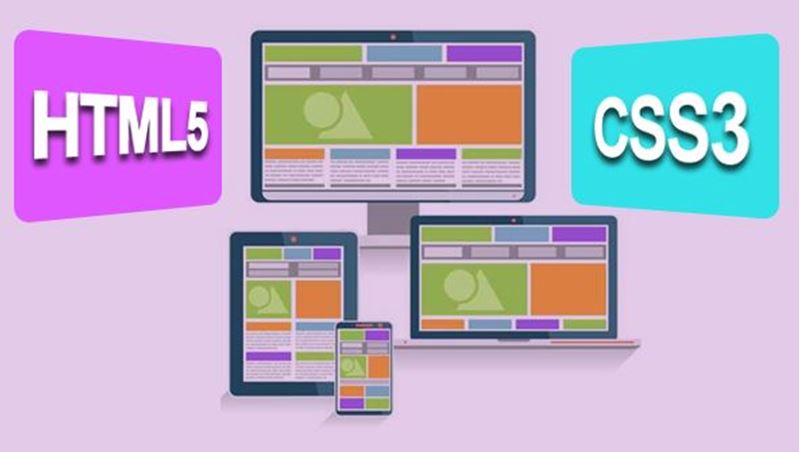
<p><i>Responsive Web Design</i> is a popular buzzword in the Web design business these days. It's all about designing your website so it looks good and works well on the wide range of devices people use to access the Web these days, including smartphones, tablets, portable computers, desktop computers, gaming consoles, and television sets. In today's lesson, you'll learn smart and relatively simple techniques that you can start using right now to ensure that your site looks and behaves its best across all those different media.</p>

Despite their widespread use on the Web today, HTML5 and CSS3 are still not W3C final recommendations. A W3C spec isn't a final recommendation until it's had years of real-world use. The most important and most needed features of the languages received browser support very quickly. Some of the more "out there" tags and properties are being adopted more slowly, but they do represent some really cool animations and other fun stuff you'll want to know about now. Today's lesson is about those upcoming features.

Today's lesson will help you expand your horizons into other areas of Web development and app development. We'll discuss the difference between front-end and back-end languages. You'll learn the purpose of JavaScript and jQuery. You'll understand server-side technologies like PHP, MySQL, ASP.Net, and SQL Server&mdash;what they are, how you'd use them, and why you might want to learn them.

Alan Simpson

Alan Simpson

With over 100 published books to his name, award-winning author Alan Simpson is widely regarded as a computer and Internet guru. His books have been published throughout the world in over a dozen languages. Alan is a seasoned veteran of the comput... Read more

Read Alan Simpson's Profile

Frequently Asked Questions

Once you've made the payment, we'll send you a confirmation email with a link to start your course. Feel free to get started whenever you're ready!

You'll have 3 months access to your course. In that time you are free to study at your own pace. The course duration is 24 hours.

Online learning is a flexible way to study that fits around your schedule, giving you the freedom to learn at your own pace from anywhere in the world. You'll have 3 months to complete the course and can take the multiple-choice questions and final exam whenever it suits you.

If you need help, you can contact us anytime. You can also join the discussion area where you can interact with other students. The discussion area for each lesson is open for the entire duration of the course.

Of course! We offer a 7-day money back guarantee. As long as you haven't completed the course, you can get a full refund within 7 days of enrolling.

We do not offer extensions or transfers for this self-paced course. However, you will have 3 months to complete the course, and if you need to cancel within the first 10 days of enrolment, we offer a money back guarantee.

The Learning Environment

From the moment that you enrol in the CSS3 and HTML5 Intermediate you will become an integral part of our learning community. You'll find yourself with the freedom to learn at a speed that suits you, on any device, from anywhere in the world. Achieving your career goals no longer has to mean compromising family and work commitments.

Ready to get started?

Enrol Now

Our Values

Learn At Your Own Pace

We believe in personalised learning. That's why we provide all the tools and support you need to succeed at your own pace. With flexible learning, you'll stay motivated and retain more information. Plus, you can balance your studies with work and family commitments to make your dreams a reality.

We Won't Break The Bank

Education should be accessible to anyone who wants to learn. That's why we offer some of the most competitive prices in the industry with payments plans for just $25 per week. Investing in your future is a smart choice and doesn’t have to break the bank.

Industry-Led Courses

There's no better way to learn than from experts with years of experience in your field. That's why each of our 200+ industry-led courses are designed to give you a real-life perspective on your industry. With our expert mentors, you'll learn from people who have a wealth of knowledge and experience, and who are passionate about sharing it with you.

Get The Personal Support You Deserve

At Vibe Learning, we're real people who are dedicated to providing you with personal support every step of the way. Our industry experts are not only professional and knowledgeable but also incredibly passionate about sharing their expertise with you. With their guidance, you'll gain invaluable insights and practical knowledge to help you succeed.