- Delivery Method Online
- Professional Certificate
- 24hrs Suggested Study Time
- 3 Months Access
- Tutor Support
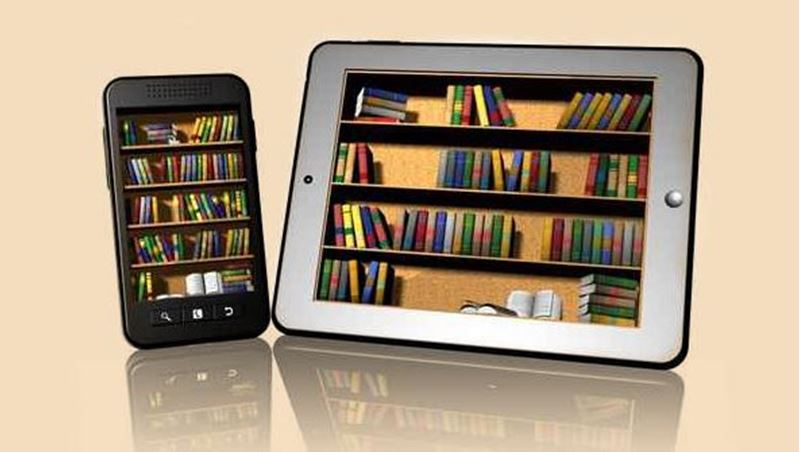
- Study On Any Device
- 1515 Students
Publish and Sell E-Books
Quick Facts
Learn how to use free tools to publish an e-book, and then list and sell your e-books in the world's largest online bookstores.
E-books are blazing through the publishing world like a speeding comet, with thousands of previously undiscovered authors as the bright glowing lights in its tail. Independent—indie—authors are becoming overnight sensations in the New York Times and USA Today, on Amazon, and well, everywhere e-books are sold. In this course, you'll see how you can join their ranks by learning how to publish and sell your own e-book.
It's no secret that e-books now regularly outsell traditionally published books in online bookstores around the world. This is great news for authors, who no longer need a large budget to self-publish and promote their books. In fact, in this course, you'll learn step by step how to use free tools to turn your manuscript into a professionally published e-book ready for distribution. Or, if you don't consider yourself a ""techie,"" this course will give you the information you need to select the right publishing services to help you as you convert your manuscript so you're ready to sell it as an e-book.
Whether you're a first-timer or have already put out an e-book or two, this course puts you inside the publishing industry, sharing the tricks of the trade used by traditional publishers to make sure their books are in the best position to be found by readers. You'll learn how to target your reading audience, select bookstores, get your book distributed around the world, and even have your book added to your local library's virtual shelves. By the end of this course, you can have your publishing dreams come true by selling an e-book. Make it happen today!
Course Revised June 2013
Courses are delivered to you through expertly executed lessons, online instruction and interaction with like-minded students. Our courses are designed to deliver all of the benefits of studying in a classroom whilst giving you the flexibility to study at a time and place to suit your needs. You can access your classroom 24/7 from any device with an internet connection.
This course has a 3 month duration. You'll complete comprehensive lessons, quizzes and assignments before submitting your final exam at the end of the course to achieve your certificate. Courses must be completed within the 3 month access period.
E-book sales climb higher every day. In fact, e-book sales have put millions of dollars in the hands of previously unpublished authors, midlist authors who've had modest print sales, and established authors who've decided to strike out on their own. When you publish your own e-book, you can earn up to 10 times higher royalties! In this first lesson, we're going to do a whirlwind tour of the rise of e-books. We'll follow that with an overview of the major players in the industry and look at e-book readers. By the time you're finished this lesson, you'll be ready to start self-publishing your own e-book.
In this lesson, you're going to start getting your e-book ready for publication, much like you would prepare a great manuscript for an editor at a publishing house. You want to make sure you have a great story that hangs together or a nonfiction book that's error-free. One of the best starts you can give your e-book when you send it off into the world is to make sure it's up to today's standards—with proper grammar, spelling, and style. In this lesson, you'll find out how to use tools to make this task simple and fast!
Today, we'll start the first steps in the publishing process. You'll learn how to create a reader profile describing your ideal reader and apply what you've learned to your marketing plan. I'll share two of my book profiles with you and show you how they helped me write the book descriptions, select the titles, and create the covers. I've filled this lesson with lots of tips that will help you find readers for your book when it's launched.
For this lesson, we'll look at a few things you should do before publishing your book. First, we'll discuss copyright registration. This will ensure that you're compensated if someone uses part of your book once it's in the bookstores! To make your book available in bookstores, you'll also want to get an ISBN, which stands for <i>International Standard Book Number</i>. This identifies your book worldwide. I'll tell you how that works, and what your options are, as well. And finally, we'll examine CIP, or <em>Cataloging in Publication</em>, data. This is the information librarians add to their catalog so that they can circulate your book to their patrons. It's exciting to think about, isn't it? Pretty soon, you'll have a catalogued book!
This lesson takes you "under the covers" of your book to your title page and all the front and back matter you want to add. You'll need to consider the author name you want to use, or whether you want to use your own name at all. This is a big decision, so we'll look at a number of things you should consider. Once that's done and you've typed all the information into your book and formatted it, you'll learn how to add a table of contents and hyperlinks, so your reader can move around easily. This lesson will give you lots to think about and lots to do—and when you're done, you'll have included everything you'll find in any traditionally published book.
Today you'll learn how to add your cover to your book, along with any other essential images. Images aren't always perfect, so you'll learn some basic steps on how to adjust them. And you'll also learn how to check the file size of your book and ensure that it meets bookseller and distributor requirements. Once you've got everything just the way you want it, you'll learn how to convert your book file to a PDF, the most popular document file on the Web. And you'll even learn how to password protect PDFs to sell from your site!
What are your options for converting your manuscript into an e-book that users can read on e-readers? Your choices range from hiring a service that does it all to doing it all yourself. In this lesson, we'll look at the pros and cons of paid services and free services, and I'll show you how to use Sigil—free open source editing software—to convert your book to EPUB format and add metadata that will help with sales at online retailers. Not sure what metadata is? We're going to go into detail on that too, and you'll learn how to use the same tools as traditional publishers in the brick-and-mortar world to give your e-book an inside advantage. By the end of this lesson, your e-book will be ready to read on many popular e-readers!
<p>In this lesson, you'll learn how to use an e-book management tool to do a number of different things, from organizing your own e-book library to converting your e-book to a multitude of formats. The name of the tool is <i>Calibre</i>. Calibre lets you add stars and comments to the books you've downloaded, as well as convert unprotected e-book files from one format to another, so you can read books you've purchased on your smartphone, tablet, or e-reader. By the end of this lesson, you'll know how to use Calibre to fine-tune your EPUB file and convert it to MOBI for the Kindle reader. You'll be amazed at how easy Calibre is to use—just follow the steps, and you'll have your e-book ready to upload to online bookstores in no time! </p>
Publishing your own e-books is a business, and in Lesson 9 we'll look at the business end of things. There's always some paperwork required to start up a business, particularly on the Internet where you're dealing with online bookstores that could be anywhere in the world. Amazon is the world's biggest bookstore, and its headquarters are in the United States, so we'll look at their requirements first. They don't make the rules though—they only implement the ones set down by law. We'll also go through the business decisions you'll have to make, including adding DRM, pricing your book, and whether you want to make your title exclusive to one store. We'll wrap up the lesson by walking step-by-step through the questions you'll answer as you upload and publish your book!
This lesson opens up many virtual bookshelves for your new book as you learn how to select and work with an e-book distributor or aggregator. Even if you're an international author, aggregators can get you into any bookstore you want! It's an exciting time to be self-publishing, as there are many different options and tailor-made solutions. Even if you're starting out with a publishing budget of $0, your book can reach millions of readers. And if you're concerned about your technical skills, don't! In today's lesson, you'll also learn how a distributor can take care of everything for you.
When you decided to self-publish your book, you eliminated the publisher—who would have gotten the biggest share of income from your hard work. In this lesson, I'll show you how you can eliminate the bookstore too. That leaves all the money from sales in your hands! There are other advantages to selling your books directly, and we'll take a look at those, as well as some of the disadvantages. I'll outline the three main considerations for direct sales, and we'll do a quick overview of the many options you'll have for collecting money online and delivering books to your buyers.
This may be the last lesson of the course, but it's also one of the most exciting. We're going to look at additional ways to get your book in readers' hands. One of the first, of course, is libraries. How would you like to see your name and book come up when you search your library's online catalog? We'll also talk about getting into school libraries, and the Google Books Library Project that aims to digitize all the books in the world. Interested in your multimedia options? We'll cover this today as well, and we'll discuss your options for printing your book so traditional print readers can also have access to it. So be prepared to come away with new ways to have your books reach readers!

Linda Aksomitis
Linda Aksomitis has a master's degree in adult vocational/technical education, with a minor in English. She has published 25 books for readers of all ages (fiction and nonfiction), including numerous e-books, and she has a few thousand publication... Read more
Read Linda Aksomitis's ProfileFrequently Asked Questions
Once you've made the payment, we'll send you a confirmation email with a link to start your course. Feel free to get started whenever you're ready!
You'll have 3 months access to your course. In that time you are free to study at your own pace. The course duration is 24 hours.
Online learning is a flexible way to study that fits around your schedule, giving you the freedom to learn at your own pace from anywhere in the world. You'll have 3 months to complete the course and can take the multiple-choice questions and final exam whenever it suits you.
If you need help, you can contact us anytime. You can also join the discussion area where you can interact with other students. The discussion area for each lesson is open for the entire duration of the course.
Of course! We offer a 7-day money back guarantee. As long as you haven't completed the course, you can get a full refund within 7 days of enrolling.
We do not offer extensions or transfers for this self-paced course. However, you will have 3 months to complete the course, and if you need to cancel within the first 10 days of enrolment, we offer a money back guarantee.
What people are saying about our courses
The Learning Environment
From the moment that you enrol in the Publish and Sell E-Books you will become an integral part of our learning community. You'll find yourself with the freedom to learn at a speed that suits you, on any device, from anywhere in the world. Achieving your career goals no longer has to mean compromising family and work commitments.
Our Values
Learn At Your Own Pace
We believe in personalised learning. That's why we provide all the tools and support you need to succeed at your own pace. With flexible learning, you'll stay motivated and retain more information. Plus, you can balance your studies with work and family commitments to make your dreams a reality.
We Won't Break The Bank
Education should be accessible to anyone who wants to learn. That's why we offer some of the most competitive prices in the industry with payments plans for just $25 per week. Investing in your future is a smart choice and doesn’t have to break the bank.
Industry-Led Courses
There's no better way to learn than from experts with years of experience in your field. That's why each of our 200+ industry-led courses are designed to give you a real-life perspective on your industry. With our expert mentors, you'll learn from people who have a wealth of knowledge and experience, and who are passionate about sharing it with you.
Get The Personal Support You Deserve
At Vibe Learning, we're real people who are dedicated to providing you with personal support every step of the way. Our industry experts are not only professional and knowledgeable but also incredibly passionate about sharing their expertise with you. With their guidance, you'll gain invaluable insights and practical knowledge to help you succeed.
Still looking?
Check out the following courses related to Publish and Sell E-Books: