













































Microsoft Excel 2010 Fundamentals

Picture of Microsoft Excel 2010 Fundamentals
Quick Facts
  • Delivery Method Online
  • Professional Certificate
  • 24hrs Suggested Study Time
  • 3 Months Access
  • Tutor Support
  • Study On Any Device
  • 23870 Students

Become proficient in using Microsoft Excel 2010 and discover dozens of shortcuts and tricks for setting up fully formatted worksheets quickly and efficiently.

Do you work with numbers? Then you need to master Microsoft Excel 2010—and this is the place to do it. Even ""non-techie"" beginners will find it easy to learn Excel in this fun, step-by-step online course.

These lessons will teach you dozens of shortcuts and tricks for setting up fully formatted worksheets quickly and efficiently. You'll also learn the secrets behind writing powerful mathematical formulas and discover how to use the function wizard to quickly and automatically calculate statistics, loan payments, future value, and more.

In addition, you'll get tips on sorting and analysing data, designing custom charts and graphs, creating three-dimensional workbooks, building links between files, endowing your worksheets with decision-making capabilities, and automating frequently-repeated tasks with macros and buttons.

This is not a tutorial, but an in-depth class where you'll get training, help, and personal support from an experienced instructor as you're learning Excel basics step-by-step. By the time you're done, you'll be using this vital Office 2010 tool like a pro.

Courses are delivered to you through expertly executed lessons, online instruction and interaction with like-minded students. Our courses are designed to deliver all of the benefits of studying in a classroom whilst giving you the flexibility to study at a time and place to suit your needs. You can access your classroom 24/7 from any device with an internet connection.

This course has a 3 month duration. You'll complete comprehensive lessons, quizzes and assignments before submitting your final exam at the end of the course to achieve your certificate. Courses must be completed within the 3 month access period.

In our first lesson, you'll develop a solid understanding of the Excel interface. You'll become fluent in the secret language spoken only by Excel users, you'll discover the best way to correct just about any mistake you might make in Excel, and you'll find yourself gliding effortlessly from cell to cell, leaving behind expertly written labels, numbers, and formulas.

In this lesson, you'll learn five simple steps you should always follow to ensure that your worksheets are always well-planned, well-constructed, and beautifully formatted.

Our third lesson will teach you the tricks of the Excel masters: a wide variety of useful shortcuts guaranteed to save you time, energy, and frustration. We'll also cover the art of file management in this lesson, so you'll have no trouble saving, retrieving, printing, and emailing your worksheets, or copying, renaming, and even deleting files. By the time you finish this lesson, you'll really start to feel like an Excel pro.

Do you know the difference between a relative reference, an absolute reference, and a circular reference? You will after this lesson. Today, we focus on writing sophisticated formulas that can help ease us through some rather sticky scenarios.

With enough practice, most Excel users quickly become adept at organizing their worksheets across two dimensions: rows and columns. But only a select few will learn how to take their worksheets into the third dimension. Today, you will join that exclusive group. Prepare to have your socks knocked off as you gain hands-on experience in the construction of three-dimensional workbooks.

No Excel course would be complete without a discussion of Excel's amazing data-crunching capabilities. Today, you'll not only learn how to build a database in Excel, you'll also learn how to subtotal, sort, and filter.

In this lesson and the next, we'll explore the exciting world of charts. You'll build your first graph today, and you'll learn how easy it is to adjust the chart type, labels, titles, colors, and many other aspects of your chart.

Today, we'll dig deep into Excel's charting capabilities. You'll explore everything from bar charts and line charts to more prosaic graphs like the pie chart, the bubble chart, and 3-D charts. You'll find out how to personalize your charts with photographs, text labels, and drawings, and you'll discover the best ways to print or otherwise display the truly impressive charts that you'll be creating.

Excel includes many powerful functions that can automatically perform some very complicated tasks for you. In today's lesson, you'll learn some very interesting ways to put these functions to work for you. You'll find out how to ask Excel to magically derive averages, modes, maximums, minimums, and other useful statistics from nothing more than a column or two of numbers.

We'll continue our exploration of Excel functions with an in-depth look at Excel's handy financial functions today. By the time this lesson is over, you'll be able to figure out how much money you'll have when you retire, when your kids reach college, or just before your next vacation. You'll be able to calculate the monthly payment on just about any type of loan, and you'll know how to figure out how long it will take to pay off your credit cards. You'll even create an amortization table of your very own, just like the one lenders use to track a loan's payoff amount over time.

Students often rank this lesson as one of their favorites. Today, you'll find out how to automate just about any task you find tedious or time-consuming. You'll discover how to move your most frequently used commands from their present, obscure locations to a much more convenient place: the toolbar that's always perched at the very top of your screen. You'll also learn how macros can be used to reduce just about any complex task to a single keystroke.

I think you'll be intrigued by our final lesson, in which you'll teach Excel not only how to make decisions, but also how to act upon those decisions. We'll use a special function in Excel that allows it to make comparisons and use that comparison as the basis for important decisions.

Chad Wambolt

Chad Wambolt

Chad Wambolt is a graduate of Boise State University, where he obtained his bachelor's degree in accounting. He has spent his entire professional career in the finance field, working for both privately and publicly held companies with sales rangin... Read more

Read Chad Wambolt's Profile

Frequently Asked Questions

Once you've made the payment, we'll send you a confirmation email with a link to start your course. Feel free to get started whenever you're ready!

You'll have 3 months access to your course. In that time you are free to study at your own pace. The course duration is 24 hours.

Online learning is a flexible way to study that fits around your schedule, giving you the freedom to learn at your own pace from anywhere in the world. You'll have 3 months to complete the course and can take the multiple-choice questions and final exam whenever it suits you.

If you need help, you can contact us anytime. You can also join the discussion area where you can interact with other students. The discussion area for each lesson is open for the entire duration of the course.

Of course! We offer a 7-day money back guarantee. As long as you haven't completed the course, you can get a full refund within 7 days of enrolling.

We do not offer extensions or transfers for this self-paced course. However, you will have 3 months to complete the course, and if you need to cancel within the first 10 days of enrolment, we offer a money back guarantee.

The Learning Environment

From the moment that you enrol in the Microsoft Excel 2010 Fundamentals you will become an integral part of our learning community. You'll find yourself with the freedom to learn at a speed that suits you, on any device, from anywhere in the world. Achieving your career goals no longer has to mean compromising family and work commitments.

Our Values

Learn At Your Own Pace

We believe in personalised learning. That's why we provide all the tools and support you need to succeed at your own pace. With flexible learning, you'll stay motivated and retain more information. Plus, you can balance your studies with work and family commitments to make your dreams a reality.

We Won't Break The Bank

Education should be accessible to anyone who wants to learn. That's why we offer some of the most competitive prices in the industry with payments plans for just $25 per week. Investing in your future is a smart choice and doesn’t have to break the bank.

Industry-Led Courses

There's no better way to learn than from experts with years of experience in your field. That's why each of our 200+ industry-led courses are designed to give you a real-life perspective on your industry. With our expert mentors, you'll learn from people who have a wealth of knowledge and experience, and who are passionate about sharing it with you.

Get The Personal Support You Deserve

At Vibe Learning, we're real people who are dedicated to providing you with personal support every step of the way. Our industry experts are not only professional and knowledgeable but also incredibly passionate about sharing their expertise with you. With their guidance, you'll gain invaluable insights and practical knowledge to help you succeed.

Microsoft Project 2013 Fundamentals Online Course | Vibe Learning
 

Microsoft Project 2013 Fundamentals

Picture of Microsoft Project 2013 Fundamentals
Quick Facts
  • Delivery Method Online
  • Professional Certificate
  • 24hrs Suggested Study Time
  • 3 Months Access
  • Tutor Support
  • Study On Any Device
  • 272 Students

Discover how to effectively plan, implement, manage, and control projects using the world's most popular project management software.

Discover how to effectively plan, implement, and control projects using the world's most popular project management software, Microsoft Project 2013. From sequencing tasks, producing a baseline, and assigning resources and costs, to tracking progress, analysing variances, and revising your project plan, Microsoft Project can help you organise all your project's details quickly and effectively.

In this course, you'll master the basics of Microsoft Project 2013 so you can create a project schedule in no time flat and then share it with clients and co-workers. Using the program's different views, such as the Calendar and Gantt chart views, you'll be able to manage your project information and produce effective reports. Armed with this information, you'll avoid going down dead-end alleys and overloading your schedule. And should you encounter trouble, you'll master a number of tried-and-true problem-resolution techniques to help get your project back on track.

You'll also learn how to fine-tune different aspects of your project, including splitting tasks for work interruptions and defining material consumption rates. After completing the course, you'll know how to develop, implement, and control a project plan that meets organisational and customer objectives.

Courses are delivered to you through expertly executed lessons, online instruction and interaction with like-minded students. Our courses are designed to deliver all of the benefits of studying in a classroom whilst giving you the flexibility to study at a time and place to suit your needs. You can access your classroom 24/7 from any device with an internet connection.

This course has a 3 month duration. You'll complete comprehensive lessons, quizzes and assignments before submitting your final exam at the end of the course to achieve your certificate. Courses must be completed within the 3 month access period.

Microsoft Project can help you manage your project's schedule, costs, and scope in a way that you've never dreamed of. Too often, Project users never use this powerful tool to its fullest potential. In your first lesson, you'll discover how to improve your project by adopting a formal management approach. You'll get a quick overview of Project Management, and then you'll learn the basics of Microsoft Project, including a summary of the Gantt Chart view and ways to create and enter project tasks.

If you're looking for ways to keep organized, you'll see just how to do that in today's lesson! We'll walk through steps to create a project schedule in no time flat. Once you create and enter tasks in Project's Gantt Chart view, you'll set a schedule by using a calendar and assigning lead times. Then, you'll need to create task dependencies, sometimes known as links. You'll see how to perform these activities and, in the process, you'll become comfortable using Project's many dialog boxes. Before you know it, you'll be creating schedules for all your projects with little effort.

<p>You won't get too far with your project without adding resources. While tasks create the backbone of your project, people, equipment, and material bring your project to life. In this lesson, you'll find out how to apply two types of Project resources&mdash;work resources, and material resources. We'll look at two more dialog boxes&mdash;Resource Information and Assign Resources&mdash;and you'll learn how to analyze resources by using the Resource Sheet and Resource Usage views. </p> <div><br> </div>

<P>No matter what project you work on, the bottom line is always important. So get ready to add the final piece to your basic project schedule&mdash;costs. We'll start things off by looking through a brief overview of cost accounting, exploring fixed, variable, relevant, and accrued costs. After this review, you'll learn how to assign costs by using the Resource Sheet. You'll even discover how to assign different costs for the same resource and analyze the overall costs for your project by using the Cost Table. </P> </H1>

Successful project managers are known for their efficiency and for safeguarding private information. Microsoft Project provides two excellent methods to help you in these areas: project templates and project security. You'll find out how to use some of the many templates Project has to offer, including the Residential Construction template and the New Product template. You'll also learn how to protect your project information with backups, passwords, and write protection. Then you'll discover how to put Project's task constraints to good use.

In this lesson, you'll discover how easy it is to modify your basic schedules and work with project data. You'll look at the various Project views, such as the Calendar, Leveling Gantt, and the Network Diagram. And if you don't like the default colors or fonts in your schedule or table, you'll be well-prepared to make changes. You'll even learn how and why you might want to create a combination view; add notes to your project; or sort, filter, and group data.

Many projects experience schedule compression when management or clients ask that the project be completed sooner and for less. In today's lesson, you'll discover how to improve your schedule's performance. You'll explore the Project Statistics dialog box, and you'll learn how to determine the ideal starting point in terms of planned costs and completion dates. You'll see how to change task dependencies to speed up your project and also find out how to split tasks to add more lead time. You'll also learn how to create recurring tasks and attach notes to your project's taskbars.

Before you implement your project, you need to create a baseline. This will help you track actual results against what you originally set out to accomplish. Microsoft Project makes it possible to set up a baseline with a few mouse clicks. You'll learn how to create a baseline and then see a variety of ways, including using the Tracking toolbar, to record your actual project results.

Here's where things really start to come together! You'll learn how to compare actual results to your baseline by using the Gantt Chart and reviewing a table. You'll discover how useful status identifiers and progress lines can be to quickly gain information about your project's position. You'll also begin using the Tracking Gantt and filters to automatically identify slipping tasks. You'll also take a stroll through the basics of variance analysis by discussing the Start and Finish Date, Resources, and Work Variance Tables.

Once your project gets rolling, outsiders will probably want to know how things are going. It can be a real time drain answering each request individually. When others request information from you, Microsoft Project offers the perfect solution: Reports. We'll go over a representative sample of the standard reports as well as discuss how to modify and create new reports in today's lesson. By the time you finish, you'll be well acquainted with Project's reporting capabilities and also know how to create Visual Reports as Project automatically exports data to Microsoft Excel and Visio.

Now that you're using reports to share project information, you'll occasionally need to print various views and tables. In this lesson, you'll delve into printing Microsoft Project documents. You'll be a master at creating different views of your project with the Page Setup dialog box, and you'll clearly understand the mechanics of the Print dialog box and the Print Preview.

No project is complete until it's officially closed. In this final lesson, you'll find out how to close your project and use the Organizer to help you customize and copy views for future projects.

Tony Swaim

Tony Swaim

Tony Swaim has helped many clients, colleagues, and students reach their professional and personal goals. He has been an online instructor since 1998 and has taught at colleges and universities across the United States since 1981. His focus areas ... Read more

Read Tony Swaim's Profile

Frequently Asked Questions

Once you've made the payment, we'll send you a confirmation email with a link to start your course. Feel free to get started whenever you're ready!

You'll have 3 months access to your course. In that time you are free to study at your own pace. The course duration is 24 hours.

Online learning is a flexible way to study that fits around your schedule, giving you the freedom to learn at your own pace from anywhere in the world. You'll have 3 months to complete the course and can take the multiple-choice questions and final exam whenever it suits you.

If you need help, you can contact us anytime. You can also join the discussion area where you can interact with other students. The discussion area for each lesson is open for the entire duration of the course.

Of course! We offer a 7-day money back guarantee. As long as you haven't completed the course, you can get a full refund within 7 days of enrolling.

We do not offer extensions or transfers for this self-paced course. However, you will have 3 months to complete the course, and if you need to cancel within the first 10 days of enrolment, we offer a money back guarantee.

The Learning Environment

From the moment that you enrol in the Microsoft Project 2013 Fundamentals you will become an integral part of our learning community. You'll find yourself with the freedom to learn at a speed that suits you, on any device, from anywhere in the world. Achieving your career goals no longer has to mean compromising family and work commitments.

Our Values

Learn At Your Own Pace

We believe in personalised learning. That's why we provide all the tools and support you need to succeed at your own pace. With flexible learning, you'll stay motivated and retain more information. Plus, you can balance your studies with work and family commitments to make your dreams a reality.

We Won't Break The Bank

Education should be accessible to anyone who wants to learn. That's why we offer some of the most competitive prices in the industry with payments plans for just $25 per week. Investing in your future is a smart choice and doesn’t have to break the bank.

Industry-Led Courses

There's no better way to learn than from experts with years of experience in your field. That's why each of our 200+ industry-led courses are designed to give you a real-life perspective on your industry. With our expert mentors, you'll learn from people who have a wealth of knowledge and experience, and who are passionate about sharing it with you.

Get The Personal Support You Deserve

At Vibe Learning, we're real people who are dedicated to providing you with personal support every step of the way. Our industry experts are not only professional and knowledgeable but also incredibly passionate about sharing their expertise with you. With their guidance, you'll gain invaluable insights and practical knowledge to help you succeed.

Still looking?

Check out the following courses related to Microsoft Project 2013 Fundamentals:

Dog Grooming Course | Vibe Learning
 

Dog Grooming Diploma

  • BEST SELLER
300 Study Hours
Picture of Dog Grooming Diploma
Now Only
$589 AUD
AUD
51% off
$1,198 AUD
Payment Plan $25/wk
No deposit required!
Enrol Now GET MORE INFO
100% Online
Industry led courses
From just $25 p/wk
Personal Support

Study our best selling online dog grooming course and start your own dog grooming business.

"Life changing course for me! This course was so informative and engaging right from the very first module, all the way until the last. I highly recommend this course to anyone wanting to learn how to become a dog groomer!" - Heidi Lee

This unique online ICOES Accredited Dog Grooming Diploma is designed specifically for individuals who are passionate about dogs and want to turn their love for them into a rewarding career.

Taught by a professional groomer, it covers all the hands-on skills and techniques that you will need to succeed in the industry. From bathing, nail trimming, and scissoring, to behaviour, handling, and first aid, we provide the most up-to-date and industry-relevant grooming practices. 

This is a private, industry-led course accredited by ICOES. It is not a nationally recognised AQF qualification.

Graduates of this course excel in the industry and have achieved great success, with many starting and growing their own thriving grooming businesses.

How You Learn?

You will master the art of grooming all dog breeds by focusing on four essential skills: shaping the head, body, legs/feet, and tail. Through a comprehensive approach, you will gain a deep understanding of each dog's unique shape, encompassing breed standards, coat type, anatomy, and lifestyle. By adeptly combining and matching grooming techniques, you will tailor your approach to suit each individual dog, ensuring a well-rounded and effective grooming proficiency.

One of the unique features of this course is that it's online, meaning that you can study at your own pace, without any deadlines. There is no placement or classroom attendance required. We understand that everyone has different schedules, so provide 24/7 unlimited access to detailed lessons, video tutorials, and carefully designed assessments mentored by our expert groomer, Hannah Grice. Check out a course demo.

Whats Included?
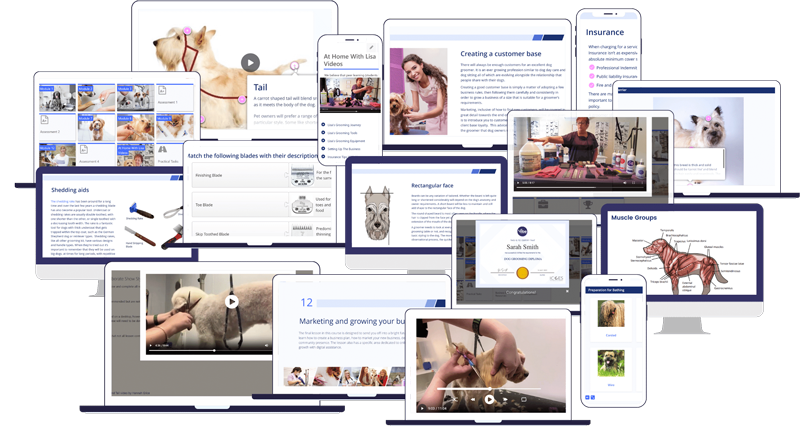
  • Interactive Online Lessons
  • On Demand Video Tutorials
  • Downloadable Templates & Resources
  • Lesson Notes
  • Quizzes & Practical Tasks
  • Formally Graded Assessments
  • Facebook Marketing ebook
  • Lifetime Access
  • A Experienced Grooming Mentor
  • Personalised Feedback
  • 24 Hour Support
  • Membership to our Exclusive Dog Grooming Community
  • Professional Certificate Upon Completion
  • Internationally Accredited by ICOES International Accreditation
  • Option to Receive a ICOES Certificate on Request

This dog grooming course is suitable for learners of all ages, with no prior experience required. We believe that with the right training and passion, anyone can become a successful dog groomer and stand out in this rewarding industry. Check out Alysons Dog Grooming Story.

Did you know that we offer 2 course and 3 course bundles providing unbeatable value?  

What Sets Us Apart?

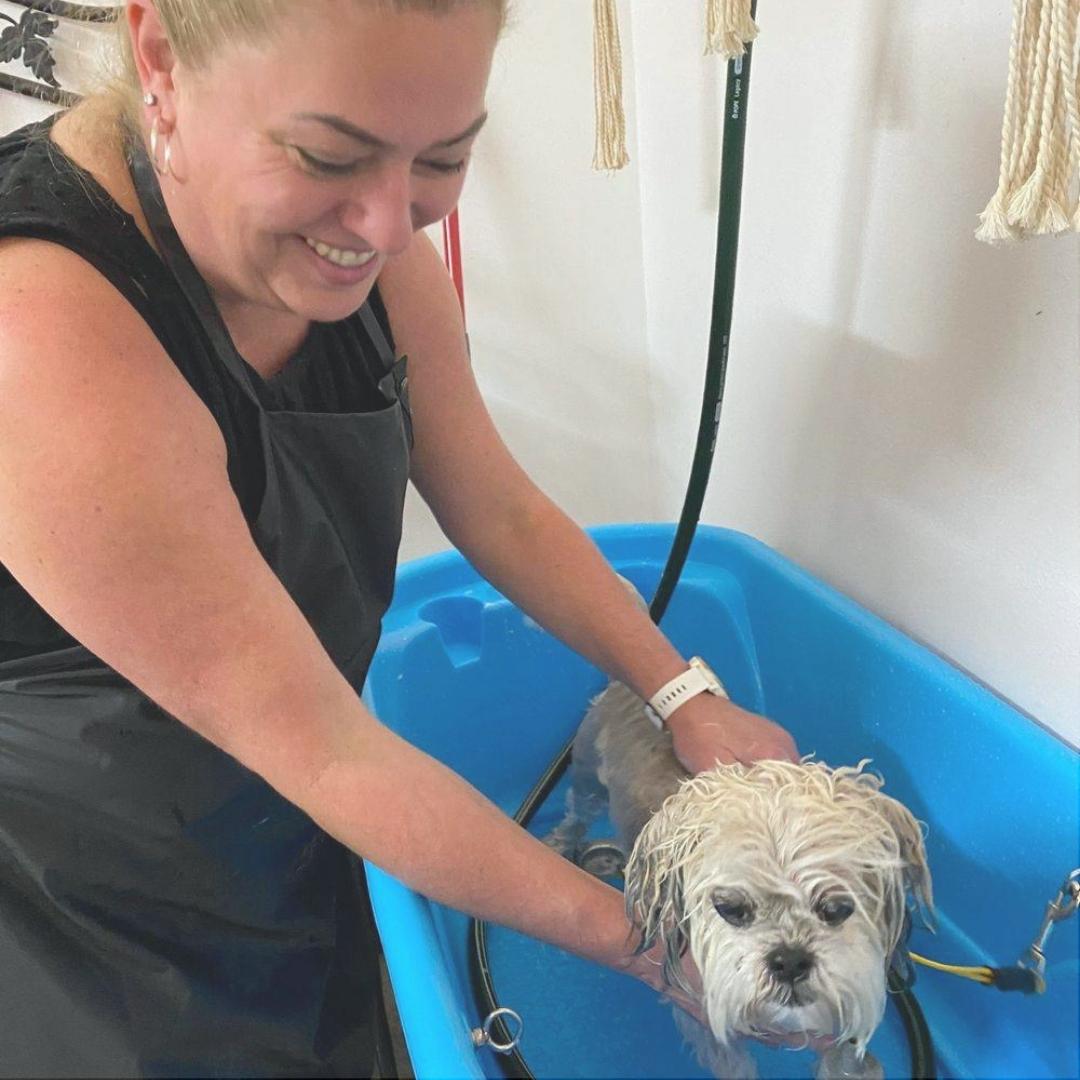
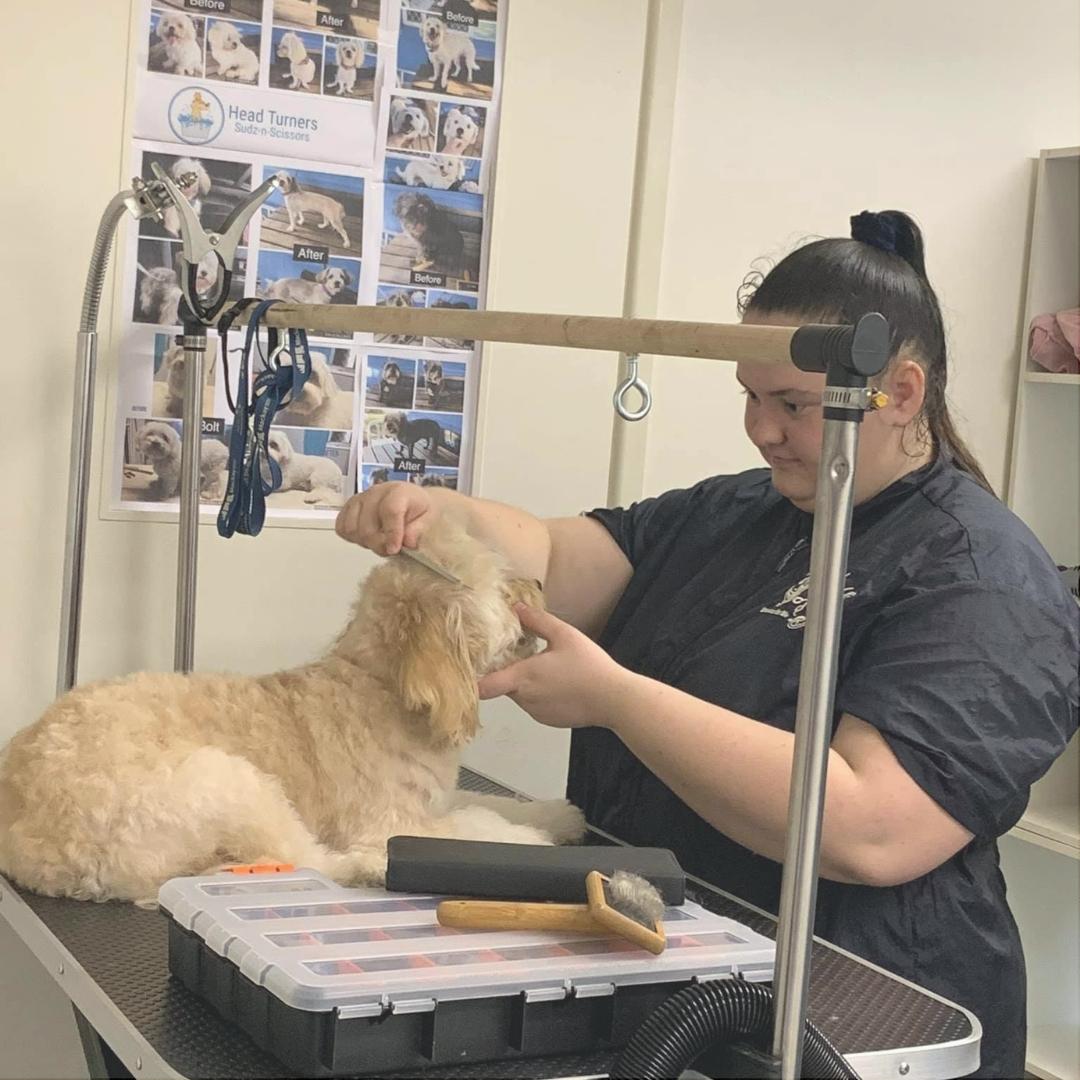
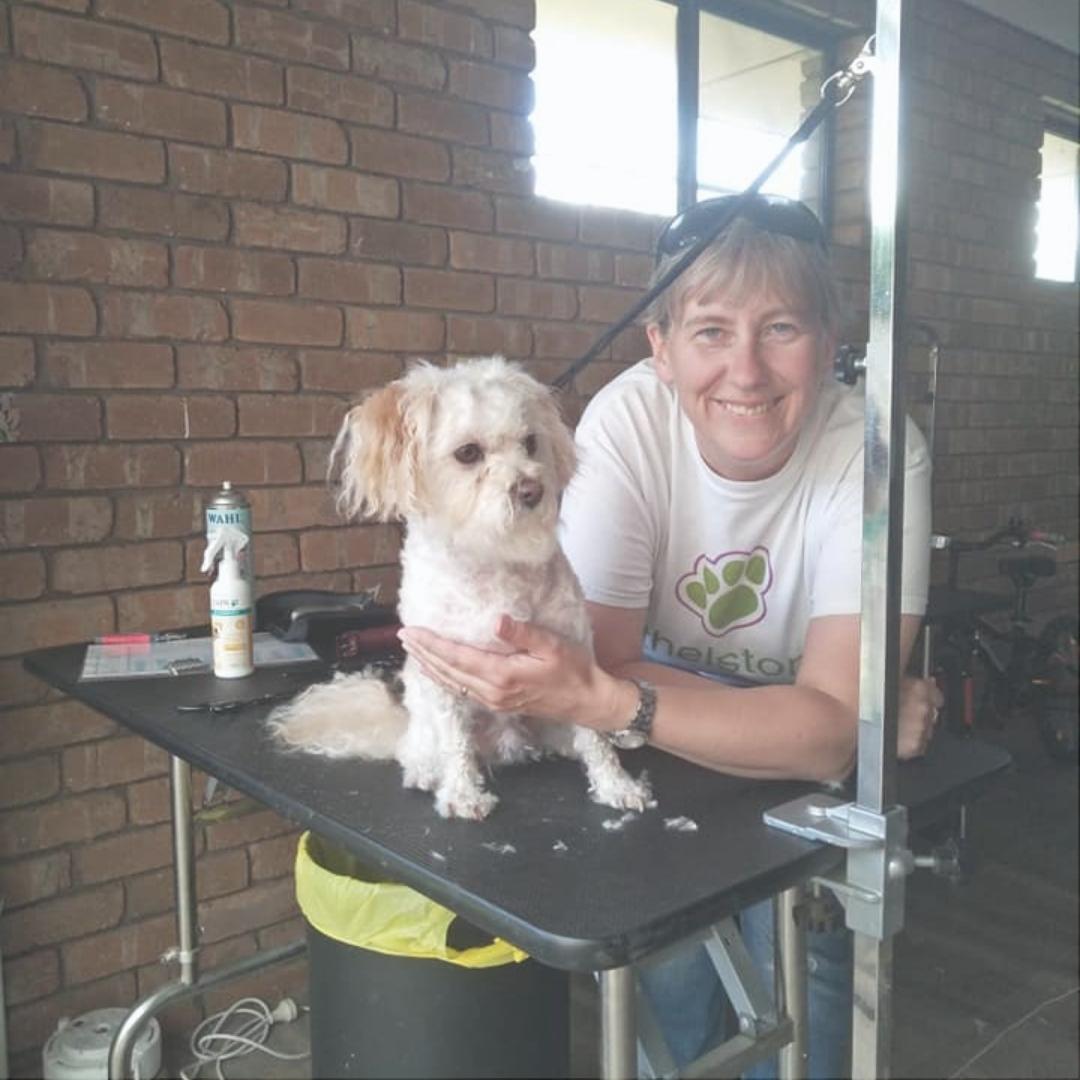
A distinctive feature of our course lies in the outcomes of our students. We take great pride in sharing the stories of individuals who have not only completed our course but have also established their own thriving dog grooming businesses. We are proud of these success stories as they serve as a testament to the effectiveness of our course, as do our reviews on Trust Pilot.

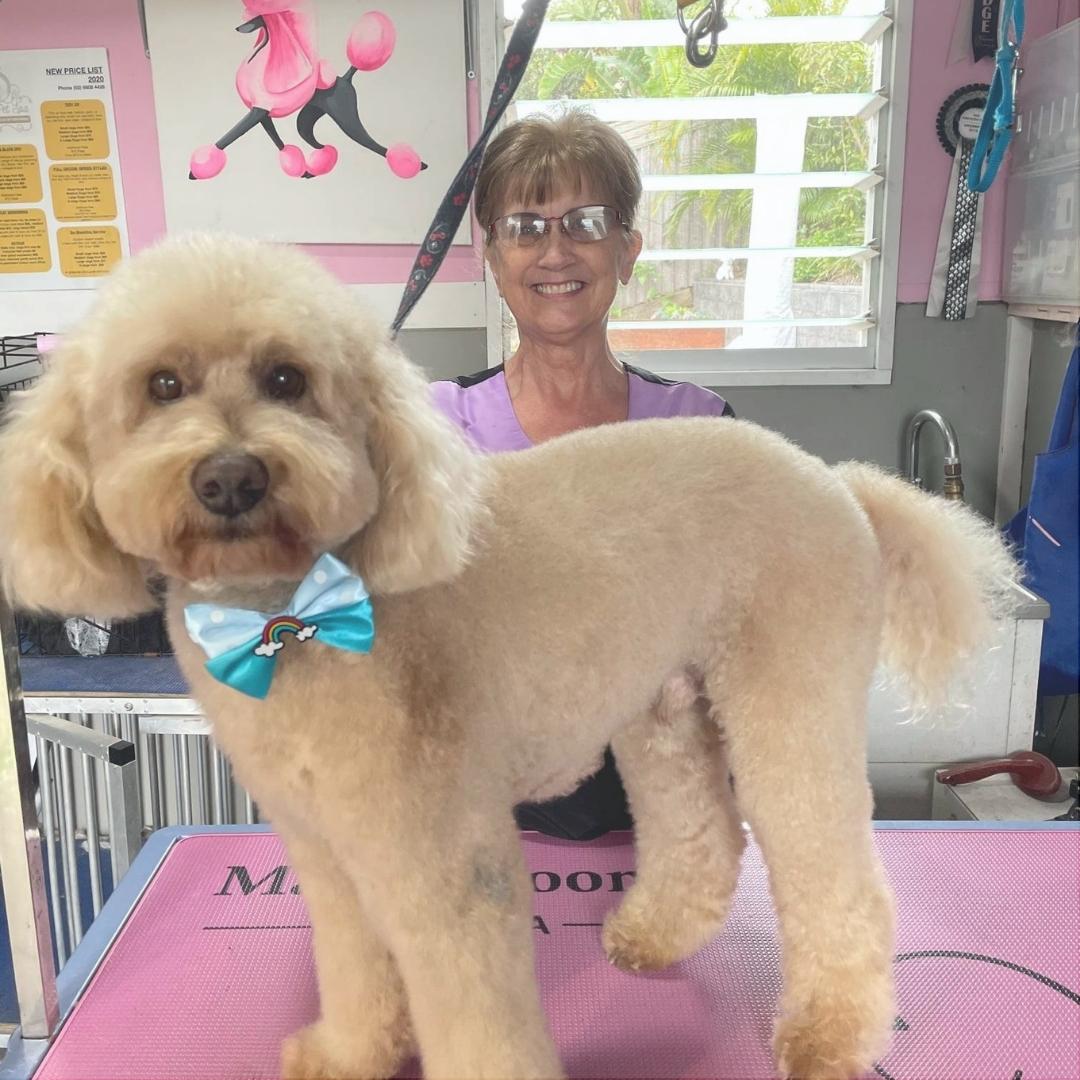
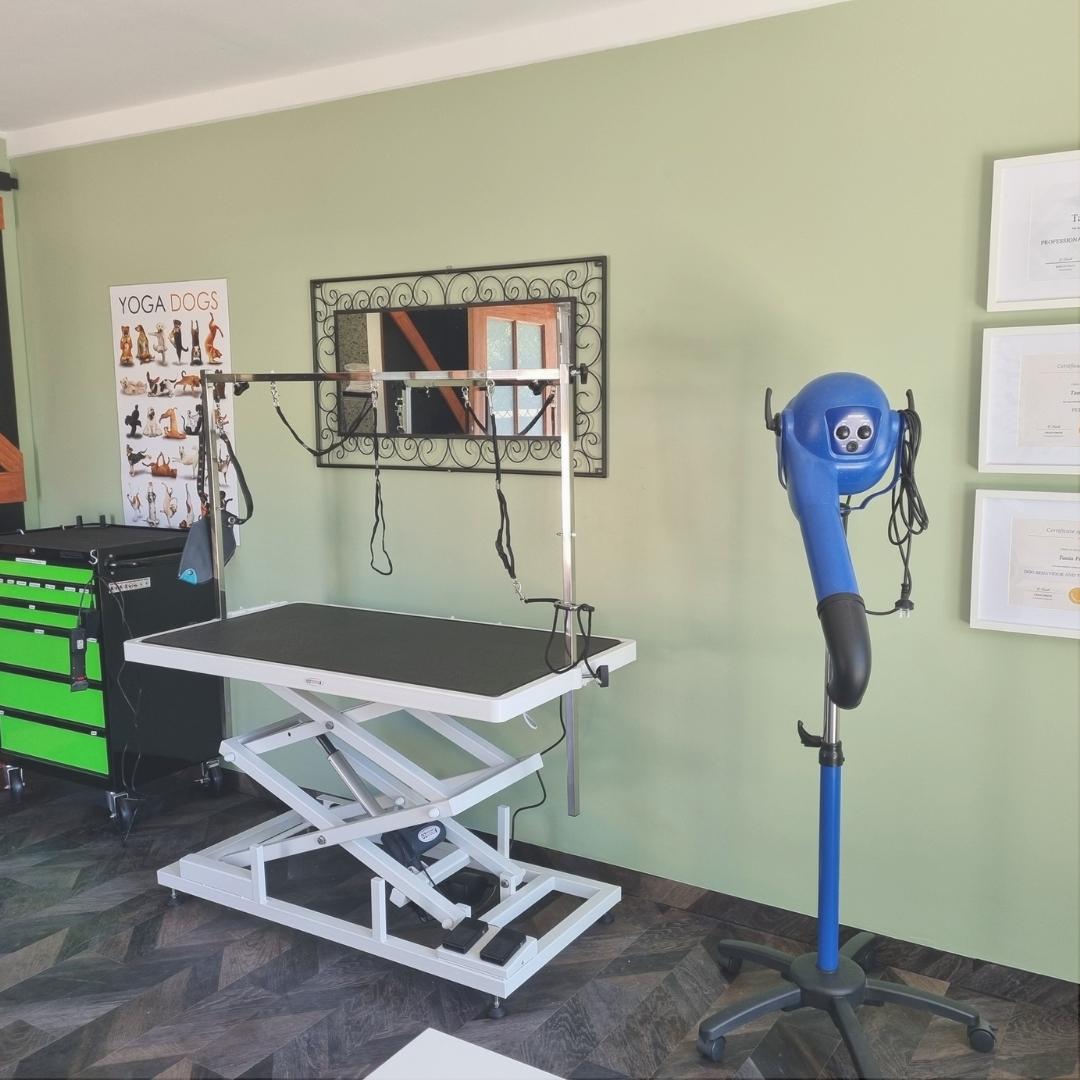
Jodi Gooding

I love dogs and always wanted to be a groomer!

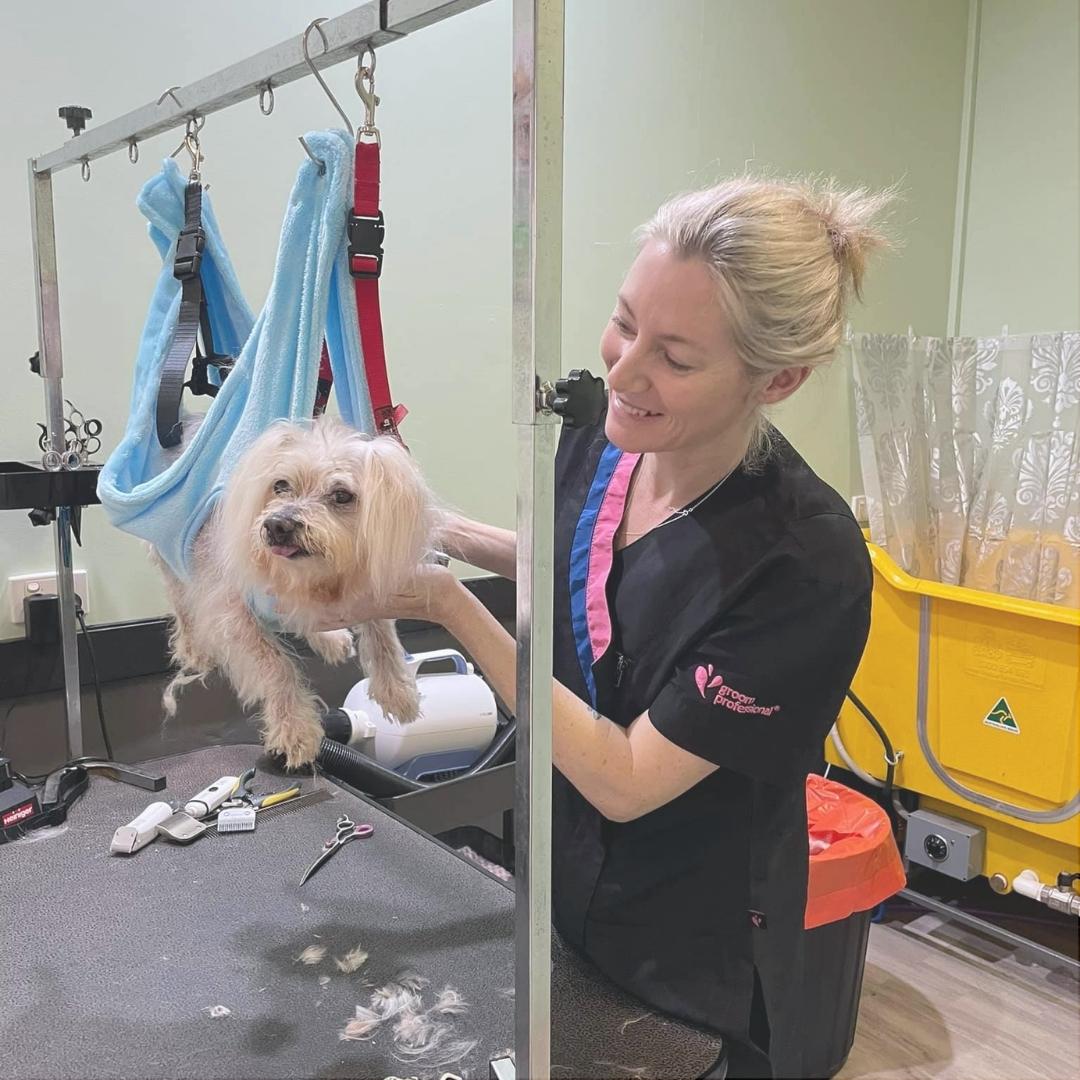
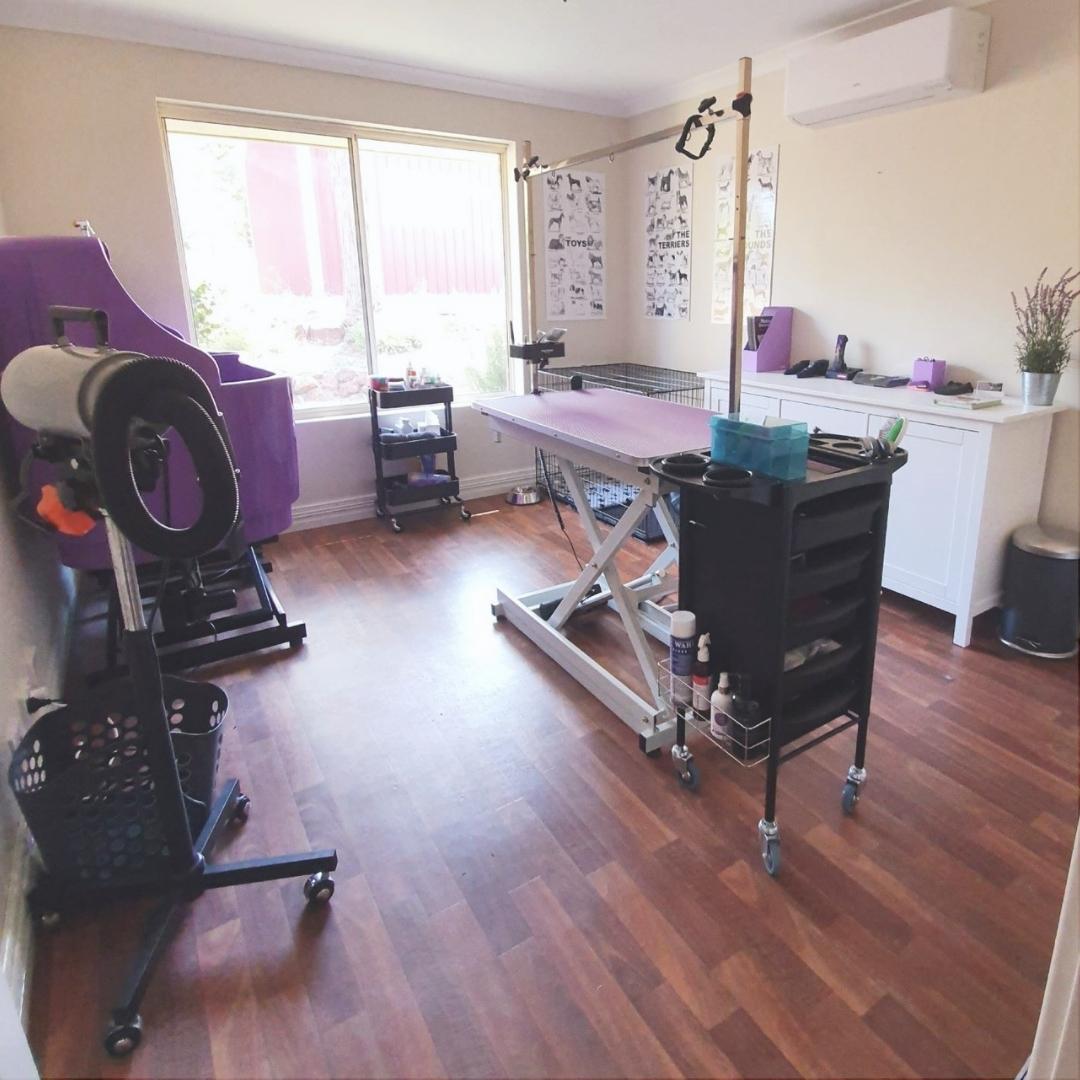
I started out by grooming friends and families dogs and now have my own beautiful grooming salon at home.

Why Choose Vibe

  • Proven Track Record
  • 100% Online Learning Experience
  • Expert Mentors to Guide You
  • Business Training You Can Use
  • No Additional or Hidden Fees
Why choose Vibe Learning

Certification and Accreditation

Accredited and Industry Endorsed

Our Professional Dog Grooming Diploma and Dog Behaviour and Training are internationally accredited by ICOES.

Vibe Learning went through a rigorous evaluation and audit of these courses to gain accreditation. Having ICOES accreditation guarantees you will receive a high standard of content that has undergone evaluation by an independent organisation, ensuring it's quality and credibility.

Course Modules

  • Careers in Dog Grooming
  • Grooming Image, Uniform and Presentation
  • Scissors
  • Clippers
  • Nail Clippers
  • Grooming Tables
  • Bathing and Drying Zone
  • Shedding Aids
  • Brushes
  • Combs
  • Commercial Dryers and Blasters
  • First Aid, Bandages and Antiseptics
  • Understanding Blade Sizes
  • Guard Combs
  • Shampoo, Conditioner and Doedorants
  • Comprehensive Equipment Checklist

Resources:

Blade Size Chart
Equipment Checklist
Scissors Reference Guide
Revision Quiz
Practical Task

  • Natural and Artificial Selection
  • ANKC Breed Groups
  • Understanding Breed Groups For Grooming
  • Nature and Nurture in Dog Behaviour
  • Canine Signals and Body Language
  • Training Techniques on the Grooming Table
  • Effective Canine Communication
  • Dog Training Principles and Techniques
  • Handling Aggressive Dogs
  • Handling Fearful Dogs
  • First Aid for Burns, Scalds, and Cuts

Resources:

The Five Freedoms Poster
Revision Quiz
Practical Task

  • Canine Anatomy
  • Muscles and Head Structure
  • Head Shape
  • The Skeleton
  • Parasites, Zoonosis, and the Immune System
  • Identifying and Preventing Canine Disease
  • Infectious Diseases and Vaccination
  • Skin Disorders and Allergies in Dogs
  • Muscle Groups
  • Cleanliness and Disinfection in Grooming
  • Lumps, Bumps, and Warts in Canines

Resources:

Muscle Groups Print Out
Topographical Anatomy Diagram
Canine Disease Chart
Revision Quiz
Practical Task

This assessment consists of 25 short-answer questions. Your responses will be submitted to the course mentor for grading and constructive feedback.

Example questions:

Question 1: Describe and explain the type of clipper blade you would choose for simultaneously clipping a dog and thinning out a thick undercoat. 
Question 2: Outline the steps you would take if a dog in your care collapses while being bathed.
Question 3: A dog is exhibiting symptoms such as appetite loss, coughing, diarrhea, severe eye problems, and stomach pain. Discuss the actions you would take, identify the potential illness, and explain the reasons behind your diagnosis.

  • Health Assessment
  • Pre-Grooming Steps
  • Perfecting Head Shapes
  • Strategic Grooming Preparations
  • Ear Cleaning Techniques
  • Mastering Nail Clipping 
  • Teeth Cleaning Procedures
  • Pad Trimming Methods
  • Tailoring Health Assessments 
  • Addressing Dental Health
  • Care for Anal and Genital Areas
  • Step-by-Step Guide Bathing Guide

Resource:

Individual Dog Health Assessment Template
Revision Quiz
Practical Task

  • Owner Expectations and Needs
  • Understanding Coat Types for Optimal Styling
  • Genetic Influences on Grooming
  • Developing Your Unique Grooming Style
  • Grooming Mixed Breeds
  • Drying Techniques
  • Stretch Drying
  • Fluff Drying
  • Smooth Drying
  • Blasting
  • Towel Drying
  • Precision Scissoring Techniques
  • Clipper Handling

Resources:

Revision Quiz
Practical Task

  • Observational Skills
  • Varieties in Head Shapes
  • Spherical, Egg, and Rectangular Head Shapes
  • Understanding Body Shapes for Styling
  • Eyebrow and Beard Styling Techniques
  • Perfecting the Topknot
  • Tail and Feet Styling
  • Ear Clipping
  • Carding
  • Hygiene Clipping
  • Practical Styling and Clipping
  • Specific Styling Needs
  • Puppy Grooming
  • Hand Stripping and Plucking

Resources:

Cavoodle Head Video Tutorial with Hannah Grice
Revision Quiz
Practical Task

This assessment consists of 25 short-answer questions. Your responses will be submitted to the course mentor for grading and constructive feedback.

Example questions:

Question 1:  How would you prepare a double coated, heavily shedding, dog for the bath?
Question 2: Choose three wool coated dogs and briefly describe how you would style them?
Question 3: How would you stretch dry a dog’s coat, describe the process from directly after the bath to finish?

  • Mastering Poodle and Show Styling
  • Understanding the Poodle Coat
  • Corded Coat Grooming
  • Training The Coat
  • Show Poodle Presentation
  • Poodle Colouring
  • Styling For Poodles: Head, Ears, Body, Legs, Feet, Blending, Tail
  • The Perfect Poodle Pet Clip
  • Grooming Different Coat Textures: Fluff or Curl
  • Polished Fluff Drying
  • Poodle Facial Styling
  • Muzzle and Throat
  • Topknot Design
  • Health Check and Pre-Work for Poodles
  • Grooming Poodle Cross Breeds
  • Coat Preparation
  • Advanced Styling
  • Sculpting the Spherical Head

Resources:

The Poodle TopKnot Video Tutorial with Hannah Grice
Revision Quiz
Practical Task

  • Precision Grooming for Terrier Breeds
  • Styling for Terriers: Legs, Feet, Tail, Body, Head
  • Techniques for Short and Long-Haired Terriers
  • Grooming Terrier Crosses
  • Terrier Body and Head
  • Customising the Groom to the Dogs Shape, Anatomy and Lifetyle;
    • Airedale
    • Australian Terrier
    • Silky Australian
    • Bedlington
    • Border
    • Cairn
    • Dandle Dinmont
    • Irish
    • Kerry Blue
    • Schnauzer
    • Yorkshire Terrier

Resources:

Revision Quiz
Practical Task

  • Body, Head, Legs, Feet and Tail Approach
  • Grooming Drop Coats
  • Grooming Toy Breeds
    • Yorkshire Terrier
    • Shih Tzu
    • Havanese
    • Maltese
  • Natural Coat Care for Toy Breeds
    • Japanese Chin
    • Papillion
    • Pomeranian
    • Chihuahua
  • Precision Grooming for Gundogs
  • Grooming Medium-Long-Haired Breeds
    • Retrievers
    • Setters
    • Spaniels
  • Long and Thick Coats
  • Curly Coats
  • Hound Grooming
    • Afghan
    • Greyhound
  • Grooming Short-Haired and Wire Coats
    • Hungarian Vizla
    • Weimaraner
    • German Short Haird Pointer
    • Italian Spinone
    • Pointing Griffon
    • Wirehaired Dachshund
  • Grooming Double and Thick Coats
    • Spitz
    • Siberian Husky
    • Saint Bernard
    • Newfoundland
    • Japanese Akita
    • Smooth/Rough Collie
    • Chow Chow
    • Bernese Mountain Dog

Resources:

Revision Quiz
Practical Task

This assessment consists of 25 short-answer questions. Your responses will be submitted to the course mentor for grading and constructive feedback.

Example questions:

Question 1: How should a poodle Topknot be styled?
Question 2: Draw a Diagram or adapt a photograph showing the blending points and head shape of a Bichon Frise in pet cut? 
Question 3: What is breed specific about the head of a Bedlington Terrier?

  • Elevating Customer Service
  • Professionalism and Customer Relations
  • Effective Communication Strategies
  • Active Listening Skills
  • Telephone Etiquette
  • Asking Thoughtful Questions
  • Strengthening Canine-Human Relationship
  • Confidence-Building Techniques
  • Creating Customer Loyalty
  • Expanding Your Clientele
  • Ethical Business Practices
  • Rewarding Customer Loyalty
  • Managing Challenging Interactions
  • Difficult Customers
  • Developing Assertiveness


Resources:

Revision Quiz
Practical Task

  • Launching Your Grooming Business
  • Mobile Grooming Business Setup
  • Exploring Franchise Options
  • Home-Based Grooming Guide
  • Salon Setup Essentials
  • Business Set-Up Checklists
  • Effective Record-Keeping
  • Data Protection Measures
  • Payment Handling
  • Financial Management Tips
  • Health and Safety Priorities
  • Choosing Insurance for Your Grooming Business

Resources:

Revision Quiz
Practical Task

  • Your Dog Grooming Business Identity
  • Choosing Your Slogan
  • What is Your Business Definition
  • Your Comprehensive Business Plan
  • Strategic Income Projection Development
  • Market Research Essentials
  • Online Presence
  • Marketing and SEO Tactics
  • Leveraging Social Media
  • Create Effective Marketing Materials
  • Creating a Website
  • Blogging for Business Visibility
  • Service-Oriented Marketing Techniques
  • Professional Growth and Development

Resources:

Business Plan Template
Income Projection Template
Revision Quiz
Practical Task

This assessment consists of 25 short-answer questions. Your responses will be submitted to the course mentor for grading and constructive feedback.

Example questions:

Question 1: What are the points that need to be considered when setting prices?
Question 2: State the basic insurance cover needed by dog groomers.
Question 3: What is SEO?

Introducing the "At Home With Lisa Video Series," featuring insightful video tutorials by professional dog groomer, Lisa. 

Explore essential topics such as;

Lisa's Grooming Journey
Lisa's Grooming Tools
Lisa's Grooming Equipment
Establishing Your Business
Insurance Tips With Lisa

This on-demand video series offers a firsthand perspective, enriching your knowledge and providing practical tips for those aspiring to thrive in the world of dog grooming entrepreneurship.

Course Mentor

Professional Groomer, Hannah Grice
Hannah Grice

"I'm always here to help and am very easy to approach."

Meet Hannah Grice, the passionate owner and head groomer behind The Dog House, a charming boutique dog grooming establishment. With a wealth of experience and accolades under her belt, Hannah's journey into the world of grooming began with her beloved Poodles, Ivy and Raven, who not only stole her heart but also propelled her to success in grooming and obedience competitions.

Certified and mentored by renowned groomers like Tiarne Perkiss and Christine Speerin, Hannah brings a unique blend of expertise and enthusiasm to her teaching endeavors. Whether guiding students through our online courses or presenting grooming video tutorials, she ensures a supportive and constructive learning environment every step of the way.

Read Hannah Grice's Profile

Frequently Asked Questions

Yes, we offer a 7-day money-back guarantee. During that time, you'll have access to all the materials. If you decide the course isn't right for you, just send us an email to get a full refund.

We provide lifetime access! This course is designed for self-paced learning, which means you have the freedom to study on your own schedule.

There are no time limits or deadlines, and you have 24/7 access to the course. You'll have all the flexibility and convenience to balance your studies with other commitments.

Yes, our dog grooming and dog behaviour courses are accredited by the International Council for Online Educational Standards (ICOES).

You can find more information about ICOES on their website here.

It's important to note that the field of dog grooming is currently unregulated, meaning there is no government-mandated certificate required to qualify you as a dog groomer. While formal certification may not be a legal prerequisite, we strongly believe in the value of professional training for anyone offering grooming services. This is a private, industry-led course accredited by ICOES. It is not a nationally recognised AQF qualification. Vibe Learning is not an RTO.

While you may not need a formal certificate to work as a groomer, our commitment is to equip you with the knowledge, skills, and mentorship needed to excel in this unregulated but highly rewarding industry. 

Yes there are short-answer assessments which you will submit to your course mentor. Additionally there are multiple choice quizzes that you can complete as many times as you need to.

These assessments will help you understand the material and will reinforce your learning. There are no deadlines on any of the assessments.

Practical tasks are provided as an option and can be completed from home. These tasks are an opportunity to gain vital-hands on experience with a variety of dog breed and coat types. As with all assessments, you will have the freedom to complete these at your own pace. There is no placement required.
Most of our students start out by practicing on their own or friends and familes dogs. Over time students begin to advertise in their local area for models in places such as local dog park groups, notice boards and rescue centres. The great thing about starting out this way is that once your confidence builds and you're ready to start charging for grooms, you'll already have a growing client list.

No, there's no need to buy equipment before enrolling in the course. The practical tasks in the course are optional, and if you choose to complete them, you'll only need basic supplies.

Yes, we've partnered with Artemis Grooming Supplies, one of the top pet grooming supplies distributors in Australia, to offer our students up to 20% off on grooming supplies. So, you can get everything you need at a discounted price if and when you need it.

Yes, we offer interest free payment plans for just $25 per week.

Want To Learn More?

GET MORE INFO

Payment Options

Payment Plan

  • No Credit Checks
  • Lifetime Membership
  • No Deposit $99
$25 /week
$25 per week for 28 weeks
total cost $700
7-day money back
Learning Platform

Hassle Free 7-Day Money Back Guarantee

We stand by the quality of our online courses, and to ensure your satisfaction, we offer a hassle-free 7-day money-back guarantee. This means you'll have an entire week to explore all the course materials. If, within that time frame, you find that the course doesn't align with your expectations or learning goals, simply shoot us an email, and we'll process a full refund for you.

We believe in the value our course provides, but we also understand that it might not be the perfect fit for everyone. Your satisfaction is our priority, and we want you to feel confident in your investment with us.

Ready to get started?

Enrol Now

Our Values

Learn At Your Own Pace

We believe in personalised learning. That's why we provide all the tools and support you need to succeed at your own pace. With flexible learning, you'll stay motivated and retain more information. Plus, you can balance your studies with work and family commitments to make your dreams a reality.

We Won't Break The Bank

Education should be accessible to anyone who wants to learn. That's why we offer some of the most competitive prices in the industry with payments plans for just $25 per week. Investing in your future is a smart choice and doesn’t have to break the bank.

Industry-Led Courses

There's no better way to learn than from experts with years of experience in your field. That's why each of our 200+ industry-led courses are designed to give you a real-life perspective on your industry. With our expert mentors, you'll learn from people who have a wealth of knowledge and experience, and who are passionate about sharing it with you.

Get The Personal Support You Deserve

At Vibe Learning, we're real people who are dedicated to providing you with personal support every step of the way. Our industry experts are not only professional and knowledgeable but also incredibly passionate about sharing their expertise with you. With their guidance, you'll gain invaluable insights and practical knowledge to help you succeed.